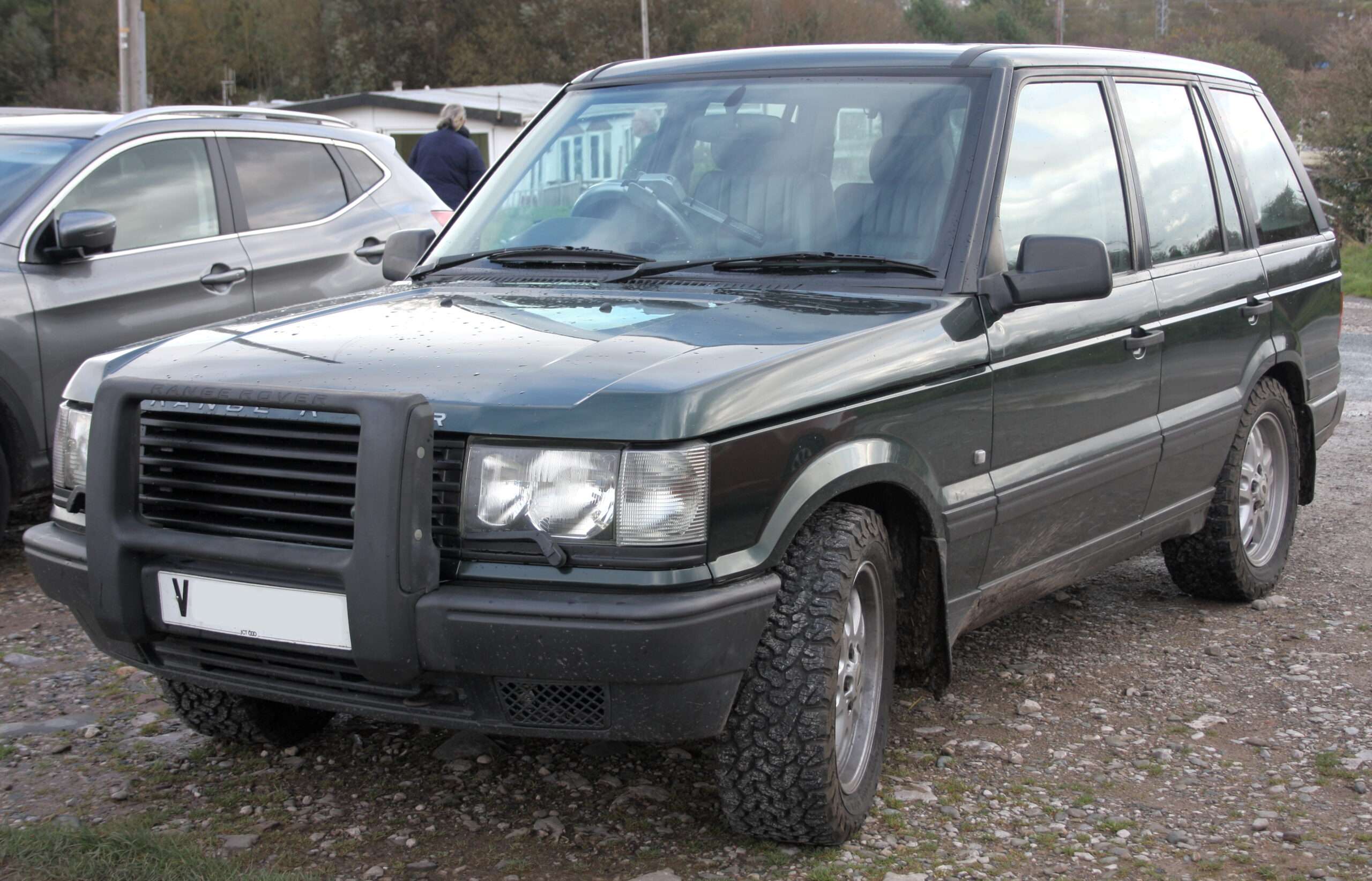
For a Range Rover P38 2.5 diesel, buy explicit support for Bosch EDC engine management and the vehicle systems you need. Nanocom’s NCOM06 diesel kit is the clearest documented specialist starting point here. iCarsoft LR V3.0 also lists a P38 Bosch EDC reading entry, making it a conditional handheld candidate rather than an assumed replacement for every Nanocom capability.
Which vehicles this guide covers
This guide covers the original P38 Range Rover with its 2.5-litre diesel and matching Bosch EDC management. It excludes the P38 GEMS and Motronic petrol V8s, Range Rover Classic and the later L322. Blackbox Solutions groups the NCOM06 EDC diesel kit under 1994–2001, while iCarsoft uses a broader 1995–2002 P38 group. These are tool-catalogue boundaries, not interchangeable vehicle specifications.
Check the actual build, engine management, gearbox, fitted ABS and heating/air-conditioning equipment. A late registration or a mixed P38 catalogue does not establish every installed system. Modified or converted vehicles require individual confirmation. The owner example below identifies a 2001 2.5D Vogue, rather than a petrol vehicle with a similar dashboard.
Match the scanner to the question
| Owner question | Information to seek | What it does not establish |
|---|---|---|
| Diesel engine concern | Explicit Bosch EDC fault and supported live-input access | Petrol P38 compatibility does not establish diesel access. |
| HEVAC book symbol | Confirmed fitted HEVAC controller reading | The icon alone does not diagnose a blend flap, display or other component. |
| Air-suspension warning | Supported EAS fault report and inputs | Fault reading is separate from calibration or commanding valves. |
| Body-system question | Actual BeCM information available and communication status | BeCM should not be described as a conventional fault-code memory. |
Amazon affiliate link. As an Amazon Associate I earn from qualifying purchases – check compatibility thoroughly before purchases.
Why the diagnostic socket is not a coverage guarantee
Do not purchase on the assumption that a standard-looking diagnostic socket makes a P38 diesel a generic OBD2 vehicle. Seek explicit Bosch EDC and required P38 system support. An engine-only result, even where a tool communicates, is not evidence that it accessed HEVAC, EAS, ABS or body-system information.
The HEVAC question is separate from engine access
A P38 diesel owner discussion identifies a 2001 2.5D Vogue and asks whether iCarsoft or Nanocom can help investigate a HEVAC book symbol. It illustrates a practical buying problem: the desired heating-system access must be checked separately from diesel engine support.
Forum suggestions about possible components and older software alternatives are not treated as confirmed diagnoses or current compatibility evidence. A heating warning and a display-illumination complaint may require different investigation. Obtain the actual available controller report before interpreting either as a reason to replace a part.
Nanocom NCOM06: engine and P38 system packs
The official Nanocom catalogue lists the NCOM06 EDC P38 kit with its green connection lead, USB update lead, NCOM18 Bosch diesel engine support and NCOM16 P38 systems. Its documentation describes engine fault reading and live inputs, plus relevant vehicle-system capabilities where fitted.
The package documents Lucas EAS reading, ABS variants and Valeo HEVAC fault reading, among other equipment. Confirm the fitted ABS and automatic controller rather than assuming every item in a P38 catalogue applies to the diesel. This recommendation covers supported reading; it makes no promise about calibration, active tests, programming or security functions.
BeCM information is not an ordinary fault-code list
Nanocom’s technical details explicitly state that the BeCM does not have a conventional fault-code memory. Its available information and communication restrictions should not be collapsed into a promise to read every body fault. Confirm the exact non-security information needed and whether the controller can communicate.
This guide contains no immobiliser, alarm-access, key, synchronisation or BeCM unlocking instructions. If security access or a non-communicating body module is the actual problem, use an appropriately equipped specialist. Buying a reader does not establish that it can unlock or recover a controller.
iCarsoft LR V3.0: evidence for a limited shortlist
The manufacturer lookup provides LR V3.0 → LANDROVER → Range Rover → 1995–2002 (P38) → Base. The BOSCH EDC EMS diagnostic entry explicitly lists fault reading, clearing and live data. It also lists diesel automatic, air-suspension, ABS and HVAC diagnostic entries alongside petrol systems.
That mixed Base list is not proof of complete Nanocom equivalence or every fitted-system function. Ask the supplier to confirm the actual diesel build, required controller and reading information. Old forum claims about other iCarsoft versions, or an all-Land-Rover headline, cannot establish current LR V3.0 coverage.
Which buying route makes sense?
Start with Nanocom NCOM06 when you want a documented P38 diesel ownership route spanning engine and relevant fitted systems. Consider LR V3.0 for a narrower task that the supplier confirms. A suitably equipped specialist is a practical option for an isolated HEVAC issue or difficult communication problem. The linked Amazon search is for iCarsoft, not Nanocom; individual results are not guaranteed suitable for a P38 diesel.
Hardware, updates and licences
The Nanocom licence guide ties software unlocks to the Nanocom unit ID, not a vehicle VIN. The correct new vehicle kit includes its initial unlocks and leads; do not buy the same licences twice. For a used unit, confirm the existing engine and P38 system packs, suitable connection lead, registration or transfer process and current firmware. A lead alone does not add licensed software. For iCarsoft, confirm genuine hardware, serial-specific updates, supported computer and supplied connection equipment.
Love cool cars? Join Unusual Cars Club FREE!
Get forgotten motoring finds, stories, helpful car content and more.
Free to join. No spam. Unsubscribe whenever you like. See our privacy policy.
Save a useful first report
Save the original report before clearing anything. Record the private VIN/build identification, engine, gearbox, fitted equipment, exact warning wording, symptoms, recent repairs and tool/software version. Keep the controller name, full code including suffix, status, description and any available freeze-frame or live-data context. Distinguish a controller reporting no faults from one that did not communicate, and identify systems the tool did not access. A code is evidence for investigation, rather than a parts order; clearing it does not repair the cause.
Limits of the scan
Reading faults, clearing faults, viewing data, running a service routine, commanding an active test and programming a module are different capabilities. This guide guarantees none of the latter functions. It contains no immobiliser, key-programming, security-access, brake-repair, suspension-calibration or forced-regeneration instructions. Symptoms affecting braking, steering, suspension or drive control need appropriate professional assessment. A scanner cannot certify mechanical engine or gearbox condition.
Frequently asked questions
Will a scanner advertised for a petrol P38 read the diesel?
Do not assume so. Check explicit Bosch EDC diesel support and the separate required vehicle systems.
Does Nanocom read ordinary BeCM fault codes?
Its documentation says the BeCM has no conventional fault-code memory. Ask about the actual available information and communication status.
Is an air-suspension reset the same as a repair?
No. Reading or clearing a report does not establish the cause, certify suspension operation or mean calibration is appropriate.
Related diagnostic guides
For the later diesel generation, see the L322 3.0 TD6 diagnostic guide.
Browse the Land Rover and Range Rover diagnostic scanner guides for the published manufacturer directory, or the complete car diagnostic scanner directory for other makes.
Sources and review
Documentary review: 1 November 2026. Unusual Cars has not independently tested these vehicles, scanners or functions. Owner reports establish questions and experiences, not failure rates, confirmed causes or universal compatibility. Exact functions vary by vehicle build, fitted module, software, interface and tool version. Product support and seller listings can change; recheck before purchase.
Manufacturer references: Nanocom NCOM06 EDC P38 kit and technical details; Nanocom unit-based software licences; iCarsoft P38 Base/Bosch EDC lookup. Owner sources are linked beside the questions they illustrate. Catalogue entries are a starting point for exact-build and exact-function confirmation, not independent vehicle tests.
Amazon affiliate link. As an Amazon Associate I earn from qualifying purchases – check compatibility thoroughly before purchases.
Featured photograph credit
1999 Range Rover P38 DHSE automatic 2.5 diesel, front view — DieselFordMondeo, via Wikimedia Commons (CC BY-SA 4.0). Resized and optimised for display; no content changes. Photograph remains under CC BY-SA 4.0. Representative P38 diesel photograph; exact build, ABS and other fitted equipment must be checked separately.