For a Discovery 2 Td5, start with the controllers you need to read: the Td5 engine, SLABS and any fitted ACE or automatic transmission equipment. A socket that accepts an OBD plug is not a promise that a cheap generic reader can interrogate those systems. Nanocom’s Discovery II Td5 kit is the strongest documented specialist starting point here; iCarsoft LR V3.0 is a conditional handheld alternative to check for the particular reading job.
Which vehicles this guide covers
This guide covers the Discovery Series II with the original 2.5-litre Td5 diesel engine. It excludes Discovery 1 diesels, the Discovery 2 V8 and the later Discovery 3/4. Blackbox Solutions lists its Discovery 2 Td5 coverage under 1998–2004, but use the actual vehicle build, engine ECU and fitted systems rather than registration year alone.
Manual and automatic vehicles do not present the same transmission questions. ACE and rear self-levelling equipment must be identified on the actual vehicle. A catalogue listing does not mean every Discovery 2 contains every controller, nor that changing a suspension setting is part of ordinary fault reading.
Match the scanner to the question
| Owner question | Information to seek | What it does not establish |
|---|---|---|
| ABS, traction-control or hill-descent warnings | SLABS fault report and supported inputs | The warning combination alone does not identify a failed part. |
| Td5 running or starting concern | Td5 engine faults and relevant live inputs | A scanner cannot certify fuel, wiring or mechanical condition. |
| ACE warning where fitted | Confirmed ACE controller reading | ABS access is not evidence of ACE coverage. |
| Automatic transmission concern | Correct automatic controller and saved codes | Engine-only scanning is not a full gearbox assessment. |
Amazon affiliate link. As an Amazon Associate I earn from qualifying purchases – check compatibility thoroughly before purchases.
Why an OBD socket is not enough
Do not buy for this vehicle on the strength of “OBD2 compatible” alone. The useful purchase criterion is explicit Discovery II Td5 manufacturer-aware access. Where a generic function happens to communicate, it still does not establish access to SLABS, ACE or the automatic gearbox.
Why the three-warning question needs SLABS access
A Discovery 2 owner discussion about three warning lights asks which reader can examine engine and other faults. The initial post does not identify its engine, so it informs the platform-level buying question rather than proving a Td5 failure pattern. Forum product opinions and historical prices are not current compatibility evidence.
Blackbox Solutions documents SLABS as the combined self-levelling and anti-lock braking system in its Discovery II package, with fault reading and live inputs. That gives a concrete reason to seek SLABS support. A warning combination is a reason to obtain evidence, rather than permission to clear warnings or replace a sensor by guesswork.
Nanocom: buy the Discovery II kit, not just a Td5 unlock
The official Nanocom product page lists NCOM02 for Discovery 2 Td5, combining NCOM11 Td5 engine support with NCOM13 Discovery II systems and the appropriate supplied lead. The documentation describes fault reading and live data for the engine and relevant vehicle systems. A Defender Td5 package is a different vehicle-system bundle even though the engine name is shared.
The same manufacturer documents ACE and automatic gearbox diagnostics within the Discovery II software. These are relevant only where fitted and supported. Ask about the actual automatic controller; supplier catalogues do not use a single consistent controller label. This guide does not endorse brake bleeding, height calibration, active tests, ECU maps or security functions.
Where iCarsoft LR V3.0 fits
The iCarsoft function lookup has an LR V3.0 → LANDROVER → Discovery → 1999–2004 (Discovery 2) → Base group, including LUCAS TD5 EMS and other system entries. This supports investigating it as a standalone reader, not assuming that every item in a mixed Base list fits the diesel.
Confirm engine fault reading and the particular ABS/SLABS or transmission job in writing before buying. The displayed diagnostic list does not establish complete ACE equivalence with Nanocom. If ACE data is the main reason for buying, make that question explicit rather than relying on an all-systems headline.
Which buying route makes sense?
Choose Nanocom NCOM02 when you want a documented Td5/Discovery II ownership route, particularly where SLABS and fitted ACE matter. Consider LR V3.0 for a confirmed narrower handheld reading requirement. The linked Amazon search is for iCarsoft, not Nanocom, and is not a guarantee that every search result is suitable.
Hardware, updates and licences
The Nanocom licence guide ties unlocks to the Nanocom unit ID rather than a vehicle VIN. The correct new vehicle kit includes its initial software unlocks; do not pay twice for an engine pack already present. The appropriate connection lead and the relevant software packs are separate requirements. Check both, and ask about registration or ownership transfer for a used unit. A lead alone does not add software coverage. Confirm the current firmware-update workflow and supplied equipment; for iCarsoft, check genuine hardware, serial-specific updates and the supported computer or card-reader arrangement.
Love cool cars? Join Unusual Cars Club FREE!
Get forgotten motoring finds, stories, helpful car content and more.
Free to join. No spam. Unsubscribe whenever you like. See our privacy policy.
Keep the first report useful
Save the original report before clearing anything. Record the private VIN/build identification, engine, gearbox, fitted equipment, exact warning wording, symptoms, recent repairs and tool/software version. Keep the controller name, full code including suffix, status, description and any available freeze-frame or live-data context. Distinguish a controller reporting no faults from one that did not communicate, and identify systems the tool did not access. A code is evidence for investigation, rather than a parts order; clearing it does not repair the cause.
What this guide does not promise
Reading faults, clearing faults, viewing data, running a service routine, commanding an active test and programming a module are different capabilities. This guide guarantees none of the latter functions. It contains no immobiliser, key-programming, security-access, brake-repair, suspension-calibration or forced-regeneration instructions. Symptoms affecting braking, steering, suspension or drive control need appropriate professional assessment. A scanner cannot certify mechanical engine or gearbox condition.
Frequently asked questions
Will any OBD2 reader work on a Discovery 2 Td5?
Do not assume so. Check explicit Td5 engine and required Discovery II controller coverage. Physical socket compatibility is insufficient.
Does a Defender Td5 Nanocom kit cover everything here?
Not automatically. The engine pack may be shared, but the Discovery II vehicle-system pack is separate. Confirm the unlocks already on the unit before paying for extras.
Can a scanner fix the three warning lights?
A supported reader can help record the relevant faults and inputs. Clearing a report does not repair the underlying fault or certify braking operation.
Related diagnostic guides
Browse the Land Rover and Range Rover diagnostic scanner guides for the published manufacturer directory, or the complete car diagnostic scanner directory for other makes.
Sources and review
Documentary review: 1 November 2026. Unusual Cars has not independently tested these vehicles, scanners or functions. Owner reports establish questions and experiences, not failure rates, confirmed causes or universal compatibility. Exact functions vary by vehicle build, fitted module, software, interface and tool version. Product support and the final seller listing should be rechecked before publication.
Manufacturer sources: Nanocom vehicle kits and technical details, Nanocom software licence guide, iCarsoft vehicle/function lookup. Selections were checked for the scope described above. Mixed catalogue groups are not a list of equipment fitted to an individual vehicle. Owner sources are linked beside the questions they illustrate.
Amazon affiliate link. As an Amazon Associate I earn from qualifying purchases – check compatibility thoroughly before purchases.
Featured photograph credit
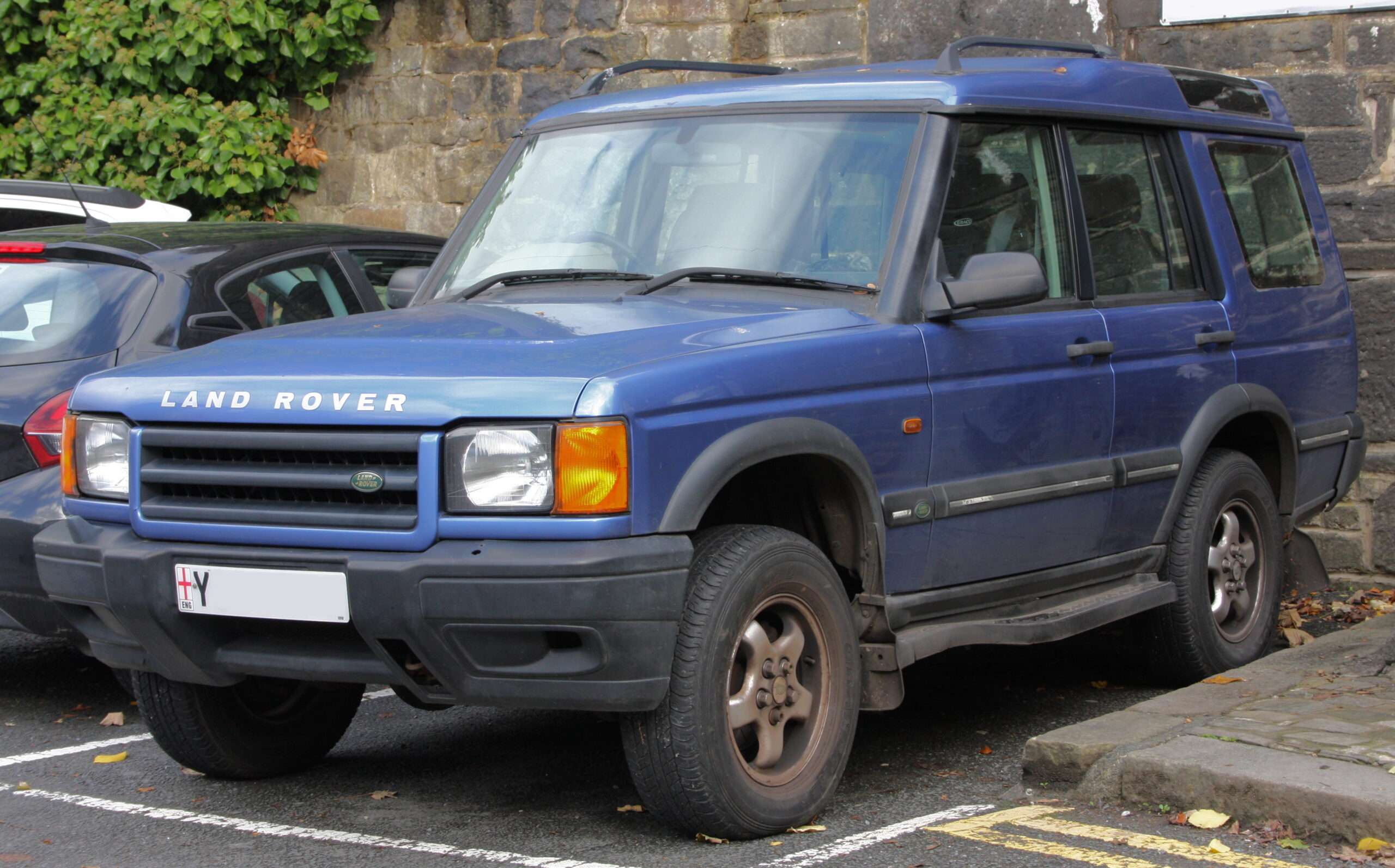
2001 Land Rover Discovery Series II S 2.5 Td5 — DieselFordMondeo, via Wikimedia Commons (CC BY-SA 4.0). Resized and optimised for display; no content changes. Photograph remains under CC BY-SA 4.0. Representative Discovery 2 Td5 photograph; it does not demonstrate scanner compatibility.