For a Discovery 2 4.0 V8 petrol, Nanocom’s NCOM04 Motronic Discovery II kit is the clearest documented specialist starting point. iCarsoft LR V3.0 is a conditional handheld alternative for the Bosch Motronic engine-reading entry. Neither a Td5 kit nor generic OBD access should be treated as proof of the petrol engine and all fitted vehicle systems.
Which vehicles this guide covers
UK Discovery Series II with the 4.0 petrol V8 and its Bosch Motronic engine management. It excludes the Td5 diesel, Discovery I GEMS applications and overseas 4.6-litre or converted vehicles. Nanocom groups Discovery II Motronic V8 under 1998–2004, while iCarsoft labels Discovery 2 as 1999–2004. Those are catalogue groupings; identify the actual engine, gearbox and fitted equipment.
Before choosing a tool, establish the actual model year, engine management, gearbox and fitted equipment. Record the task you want to perform: reading an engine report is different from inspecting a chassis controller or running a service routine. Modifications, conversions and replacement controllers need individual checks.
Match the scanner to the question
| Owner question | Reading to confirm | Limit |
|---|---|---|
| V8 misfire or poor running | Explicit Bosch Motronic engine codes and available inputs | A cylinder reference is not proof of a particular replacement part. |
| ABS, traction or HDC warning | Confirmed SLABS reading | An engine-only scan does not assess SLABS. |
| Automatic gearbox concern | Explicit petrol automatic controller support | A Base-list entry marked Diesel does not establish petrol gearbox compatibility. |
Amazon affiliate link. As an Amazon Associate I earn from qualifying purchases – check compatibility thoroughly before purchases.
Generic OBD and manufacturer-aware diagnostics
Generic OBD/EOBD concerns supported emissions-related powertrain information. It can be useful where the actual vehicle and reader implement the relevant functions, but it does not establish access to every Land Rover controller. A standard-looking socket, a successful engine connection or an empty engine-code list cannot establish ABS, suspension, heating, body or gearbox coverage. On these older petrol applications in particular, seek explicit engine-management support rather than assuming that a registration year or OBD-shaped connector guarantees generic compatibility.
A misfire report narrows the question, not the parts list
The owner discussion provides the following context. A Discovery 2 V8 owner described reduced power and vibration without a dashboard fault light. A garage report identified a cylinder-six misfire, yet changing leads and plugs did not resolve the reported symptom. The discussion illustrates why a fault location is useful evidence without proving a failed component; it is not an independently verified repair account.
Ask for supported engine fault reading and available live inputs, then preserve the actual report. A cylinder reference alone cannot distinguish ignition, fuelling, wiring or a mechanical problem. Do not regard the absence of a warning lamp, or a temporarily smoother idle, as proof of a healthy engine. This article does not provide ignition, fuel-system or engine-repair instructions.
Nanocom NCOM04: Motronic and Discovery II systems
The official Nanocom catalogue identifies NCOM04 for Motronic V8 Discovery II, with a blue vehicle lead and USB update lead. It includes NCOM15 Motronic engine management and NCOM13 Discovery II systems. The engine documentation describes fault reading/clearing and live inputs; it explicitly says Nanocom cannot program the Motronic ECU.
NCOM13 documents reading routes for fitted SLABS, Lucas ACE and the Bosch GS8.87.0 automatic controller, alongside other Discovery II systems. A manual vehicle does not acquire an automatic controller, and ACE or self-levelling equipment must be identified on the actual vehicle. Engine support and Discovery II system support are separate items when checking a used unit or an additional licence.
iCarsoft LR V3.0: a conditional handheld alternative
The LR V3.0 lookup provides LANDROVER → Discovery → 1999–2004 (Discovery 2) → Base. Its ENG (BOSCH MOTRONIC M5 2.1 EMS) diagnostic entry lists fault reading, clearing and live data. The same Base results also show Td5 and an automatic-transmission entry explicitly labelled Diesel. That is not documentary proof of petrol automatic gearbox support; obtain separate confirmation for that task. See the official function lookup.
Choose the tool for the report you need
For occasional fault reading, a handheld can be sensible if the supplier confirms the precise engine and fitted controller. For repeated ownership diagnostics, compare the manufacturer-aware specialist route and its licence conditions. For a single difficult problem, paying an appropriately equipped specialist for a saved report may be more useful than buying a tool with unconfirmed access. Fault-code access, data viewing and a service routine are different capabilities.
The Amazon panels in this article link to the iCarsoft LR V3.0 search. They do not link directly to Nanocom or GAP IIDTool and do not guarantee that every search result is suitable. Check the actual seller, genuine product, return terms, exact vehicle and required reading function before purchasing. No current price or universal compatibility claim is made.
Hardware, software licences and updates
Blackbox Solutions’ current licence guide states that Nanocom unlocks belong to the unit ID, not a vehicle VIN. A new vehicle kit includes its listed initial software and leads; do not buy the same unlocks twice. For a used unit, establish the existing engine and vehicle-system packs, suitable lead, current firmware and registration/transfer arrangements. A lead provides the physical connection, not additional software coverage.
Nanocom is a handheld route for ordinary in-vehicle use; update and licence-management arrangements are a separate purchasing consideration. Confirm the manufacturer’s current supported computer and update requirements before buying. For iCarsoft, verify genuine LR V3.0 hardware, current vehicle software, update arrangements and supplied connection equipment. A seller’s generic “Land Rover” headline does not identify the licensed engine and system coverage.
Love cool cars? Join Unusual Cars Club FREE!
Get forgotten motoring finds, stories, helpful car content and more.
Free to join. No spam. Unsubscribe whenever you like. See our privacy policy.
Save a useful first report
Save the original report before clearing anything. Record the private VIN/build identification, engine, gearbox, fitted equipment, exact warning wording, symptoms, recent repairs and tool/software version. Keep the controller name, full code including suffix, status, description and any available freeze-frame or live-data context. Distinguish a controller reporting no faults from one that did not communicate, and identify systems the tool did not access. A code is evidence for investigation, rather than a parts order; clearing it does not repair the cause.
Limits of the scan
Reading faults, clearing faults, viewing data, running a service routine, commanding an active test and programming a module are different capabilities. This guide guarantees none of the latter functions. It contains no immobiliser, key-programming, security-access, brake-repair, suspension-calibration or forced-regeneration instructions. Symptoms affecting braking, steering, suspension or drive control need appropriate professional assessment. A scanner cannot certify mechanical engine or gearbox condition.
Frequently asked questions
Is a Td5 Nanocom kit enough for my petrol Discovery?
Do not assume so. Confirm Motronic NCOM15 engine support and NCOM13 Discovery II systems, plus the suitable lead.
Does the iCarsoft Discovery II Base list prove petrol automatic access?
No. The reviewed automatic entry is labelled Diesel; ask specifically about the fitted petrol automatic controller.
Can a scanner prove the engine has no mechanical damage?
No. Faults and inputs are evidence for diagnosis, not a certificate of mechanical condition.
Related diagnostic guides
The Discovery 2 Td5 guide is for the diesel engine and its appropriate software kit. The P38 diesel guide illustrates another application requiring a different engine licence; sharing a scanner brand does not make kits interchangeable.
Browse the Land Rover and Range Rover diagnostic scanner guides for the published manufacturer directory, or the complete car diagnostic scanner directory for other makes.
Sources and review
Documentary review: 1 November 2026. Unusual Cars has not independently tested these vehicles, scanners or functions. Owner reports establish questions and experiences, not failure rates, confirmed causes or universal compatibility. Exact functions vary by vehicle build, fitted module, software, interface and tool version. Product support and seller listings can change; recheck before purchase.
Manufacturer evidence reviewed: Nanocom vehicle kits and technical details; Nanocom unit-based licence guide; iCarsoft LR V3.0 vehicle/function lookup. The owner source is linked beside the question it illustrates. Owner reports do not establish failure rates, independently verified repairs or current tool compatibility.
Amazon affiliate link. As an Amazon Associate I earn from qualifying purchases – check compatibility thoroughly before purchases.
Featured photograph credit
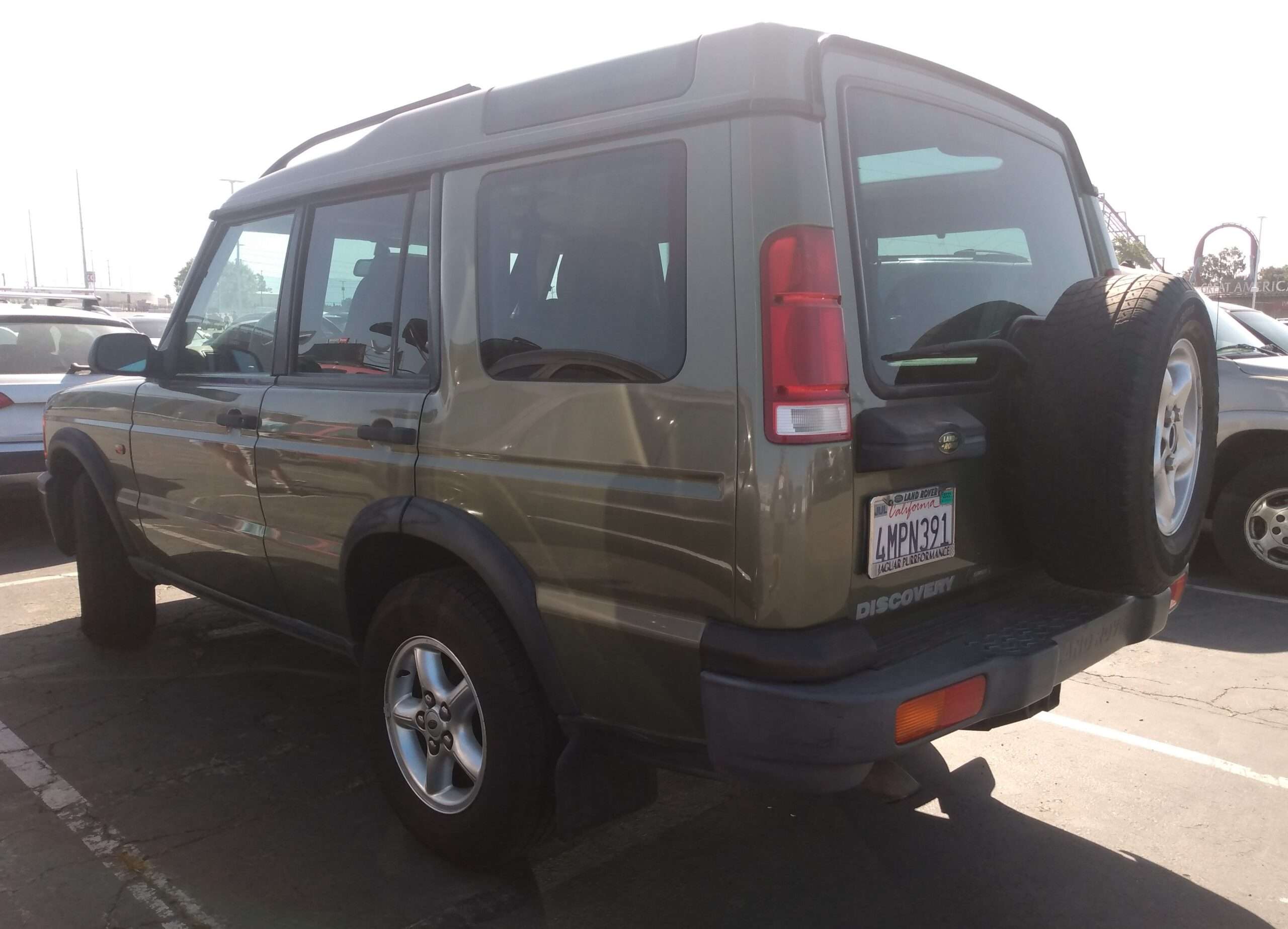
2000 Land Rover Discovery Series II V8 — DestinationFearFan, via Wikimedia Commons (CC BY-SA 4.0). Resized and optimised for display; no content changes. Photograph remains under CC BY-SA 4.0. Representative Discovery II V8 photograph; the source does not establish the pictured engine displacement or UK specification.