For a first-generation Evoque L538 with the 2.0-litre Ingenium diesel, separate engine and fitted-system reading from service-message resets. iCarsoft LR V3.0 and GAP IIDTool BT both provide manufacturer documentation to investigate, but the actual year group and controller matter. A successful engine connection is not proof that the scanner can read every AWD or gearbox system.
Which vehicles this guide covers
This guide covers first-generation L538 Evoque vehicles with the original 2.0-litre Ingenium diesel. The documentary starting points are a MY16 owner question and the manufacturers’ 2017 diesel selections. It excludes the earlier 2.2 diesel, petrol engines and the later L551 Evoque, including its hybrid applications.
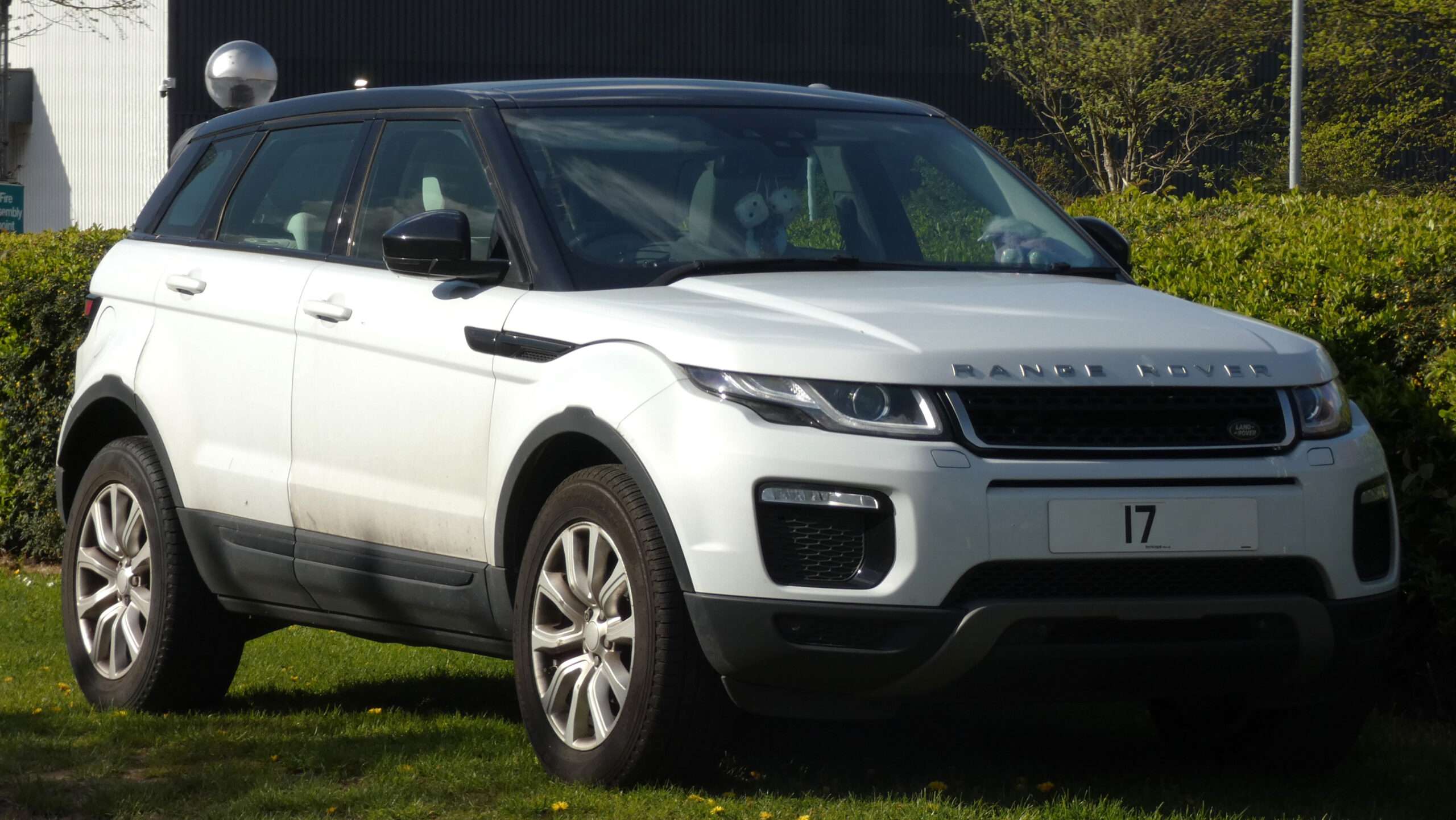
Confirm body style, manufacturer model year, engine, gearbox and drivetrain. The photo illustrates an eD4 example, while the catalogue can also display equipment absent from that vehicle. Do not assume all 2.0 diesels have the same driven wheels, controllers or service functions. Coverage of a convertible controller does not imply it is fitted to a five-door car.
Match the scanner to the question
| Owner question | Information to seek | What it does not establish |
|---|---|---|
| Service message earlier than expected | Correct vehicle identification, service records and relevant diagnostic information | A reset does not establish that maintenance or investigation is unnecessary. |
| Engine warning | Supported diesel engine faults and context | A code is not a component diagnosis. |
| Gearbox or traction message | Separate transmission and relevant fitted AWD/ABS reporting | Engine codes alone do not establish coverage of those controllers. |
| Selecting a product listing | L538 2.0 diesel and the exact reading function | L551 or earlier 2.2 coverage is not interchangeable. |
Amazon affiliate link. As an Amazon Associate I earn from qualifying purchases – check compatibility thoroughly before purchases.
Generic OBD and manufacturer-aware diagnostics
A compatible generic EOBD reader can retrieve supported emissions-related powertrain codes, readiness information, freeze-frame and standard live data. It can be useful for an engine warning, and some transmission-related powertrain codes may also be available. A successful generic connection does not establish access to the separate ABS, chassis, body or transmission controllers. Check whether the result came from the generic OBD menu or a manufacturer-specific vehicle selection.
A generic engine report can help with supported emissions information, but it is not a service record or a full drivetrain assessment. If the reader reports no generic faults, establish whether it also accessed the manufacturer-specific controller associated with the complaint.
An early service message is a different question from fault reading
A MY16 Evoque owner thread explicitly identifies a 2.0 Ingenium TD4 and asks about an early service alert. Later replies describe inconsistent experiences with reset methods. This supports a reader question about identification, maintenance and tool purpose; it does not establish a diagnosis of oil condition or a universal service interval.
This guide does not reproduce those reset procedures. Save the displayed message and review the service history with the correct vehicle information before considering a reset. Reading an engine fault, viewing data and changing a service reminder are separate capabilities. None establishes that the vehicle’s maintenance requirements have been met.
iCarsoft: check the 2.0 diesel selection
In the official iCarsoft function lookup, LR V3.0 → LANDROVER → Range Rover Evoque → 2017 → Diesel I4 2.0L has an ECM diagnostic entry with code reading, clearing, live data, module information and freeze data. That is a documented starting point for a matching engine-reading task.
The wider list includes ABS, transmission, gateway and optional body equipment. Confirm the specific controller and function instead of buying on the number of service routines. Ask for exact-build support if the vehicle belongs in another year group, and distinguish earlier iCarsoft devices discussed in old forum posts from the current LR V3.0.
GAP: a platform list does not guarantee every AWD function
The GAP L538/2017 selection lists engine, ABS, transmission and gateway reading and live values. Its rear-differential row was displayed without the same affirmative reading/live-value entries when reviewed. That is a reason to ask about the particular AWD task, rather than claim full AWD coverage from the platform name.
GAP warns that its functionality table is being updated and that 2017-onward platform groups can show different generations of equipment together. Its hardware table lists G3 for the early L538 group and an adapter-related condition for G4. Confirm the current exact-build package and any approved adapter; this guide supplies no wiring modification instructions.
Which buying route makes sense?
Choose LR V3.0 as a handheld candidate after confirmation of the exact engine or other reading task. Compare the appropriate IIDTool package where its phone interface and confirmed coverage suit your ownership needs. If a specific AWD controller is the main reason for buying, resolve that coverage question first. The approved affiliate search is for iCarsoft and does not establish a suitable GAP package or universal Evoque compatibility.
Hardware, updates and licences
GAP IIDTool BT uses a compatible iOS or Android device; check the current app, Bluetooth and operating-system requirements before buying. Firmware updating is separate from connecting at the car. GAP’s licence policy separates supported fault reading and live values from advanced VIN-licensed functions. A BT package includes a VIN licence for relevant advanced work; do not describe all reading as locked to one car. Check ownership transfer and included hardware when considering a used unit. For iCarsoft, confirm genuine hardware, the serial-specific updater, supported computer and included card reader or cable.
Love cool cars? Join Unusual Cars Club FREE!
Get forgotten motoring finds, stories, helpful car content and more.
Free to join. No spam. Unsubscribe whenever you like. See our privacy policy.
Save a useful first report
Save the original report before clearing anything. Record the private VIN/build identification, engine, gearbox, fitted equipment, exact warning wording, symptoms, recent repairs and tool/software version. Keep the controller name, full code including suffix, status, description and any available freeze-frame or live-data context. Distinguish a controller reporting no faults from one that did not communicate, and identify systems the tool did not access. A code is evidence for investigation, rather than a parts order; clearing it does not repair the cause.
Limits of the scan
Reading faults, clearing faults, viewing data, running a service routine, commanding an active test and programming a module are different capabilities. This guide guarantees none of the latter functions. It contains no immobiliser, key-programming, security-access, brake-repair, suspension-calibration or forced-regeneration instructions. Symptoms affecting braking, steering, suspension or drive control need appropriate professional assessment. A scanner cannot certify mechanical engine or gearbox condition.
Frequently asked questions
Does this replace the existing Evoque 2.2 guide?
No. It covers a different engine scope. Choose the guide for the actual engine and generation.
Can I assume every L538 has AWD?
No. Identify the fitted drivetrain and controllers. A mixed catalogue and a representative photograph cannot establish the equipment on your car.
Does a service reset show that the oil is healthy?
No. Resetting a reminder is not an assessment of oil condition, maintenance history or the reason a message appeared.
Related diagnostic guides
For the earlier engine, see the Evoque L538 2.2 diesel diagnostic guide.
Browse the Land Rover and Range Rover diagnostic scanner guides for the published manufacturer directory, or the complete car diagnostic scanner directory for other makes.
Sources and review
Documentary review: 1 November 2026. Unusual Cars has not independently tested these vehicles, scanners or functions. Owner reports establish questions and experiences, not failure rates, confirmed causes or universal compatibility. Exact functions vary by vehicle build, fitted module, software, interface and tool version. Product support and seller listings can change; recheck before purchase.
Manufacturer references: iCarsoft Evoque 2017 Diesel I4 2.0L lookup; GAP L538 hardware and functionality tables; GAP licence policy. Owner sources are linked beside the questions they illustrate. Catalogue entries are a starting point for exact-build and exact-function confirmation, not independent vehicle tests.
Amazon affiliate link. As an Amazon Associate I earn from qualifying purchases – check compatibility thoroughly before purchases.
Featured photograph credit
2017 Range Rover Evoque SE Tech eD4 2.0 diesel — Harvey Bold, via Wikimedia Commons (CC BY 4.0). Resized and optimised for display; no content changes. An eD4 example illustrates the first-generation 2.0 diesel Evoque. Fitted drivetrain and UK build details must be checked separately.

