For a Freelander 1 1.8 petrol, identify MEMS1.9 versus MEMS3 before buying a scanner. pscan provides explicit documentation for both engine-management routes. iCarsoft LR V3.0 has a later MEMS3 entry, but its early Freelander list reviewed here does not establish MEMS1.9 petrol engine support. Engine coverage and ABS coverage must be checked separately.
Which vehicles this guide covers
This guide concerns the original Freelander’s 1.8 four-cylinder petrol engine, rather than the 2.5 KV6, L-series/TD4 diesels or the second-generation Freelander 2. pscan’s Freelander 1 index distinguishes MEMS1.9 and MEMS3 and uses broad labels around the 2001 changeover. Confirm the installed ECU and actual build instead of choosing from the registration year alone. Conversions or replacement controllers need individual checks.
Check the actual vehicle build, engine-management identification, transmission and installed equipment before ordering. Keep modification and repair history with the vehicle details. Ask the supplier to confirm the precise reading task; support for one engine or controller does not establish every function in a shared catalogue group.
Match the scanner to the question
| Owner question | Information to seek | Limit |
|---|---|---|
| Early 1.8 engine concern | Explicit MEMS1.9 fault and live-data support | A later MEMS3 entry is not proof of early engine support. |
| Later 1.8 engine concern | Identify MEMS3 and confirm the exact reading task | A catalogue year boundary is not an ECU inspection. |
| ABS/HDC/traction warning | Identify the actual ABS controller and supported report | An engine-only scan cannot assess the ABS system. |
Amazon affiliate link. As an Amazon Associate I earn from qualifying purchases – check compatibility thoroughly before purchases.
Generic OBD versus manufacturer-aware diagnostics
Generic OBD/EOBD concerns supported emissions-related powertrain information. Where the vehicle and reader implement it, this can provide useful engine codes and data. It does not establish access to ABS, suspension, transmission or body controllers. A standard-looking diagnostic connector or a successful engine connection is not proof of complete vehicle coverage. For early Freelander petrol engines, explicit management-system support is especially important.
A controller reporting no stored faults is different from one that did not communicate. Keep that distinction in a saved report, and identify systems the tool did not access. Neither a clean report nor a cleared warning certifies that the vehicle is mechanically sound.
The owner problem behind the scanner choice
The owner discussion provides this context. A 1998 1.8 owner asked about pscan specifically to investigate ABS concerns on an early vehicle. Replies initially discussed a different ABS generation before distinguishing Wabco from Teves. That is a useful buying lesson: the engine, diagnostic socket and ABS controller are separate identification questions. Replies about another vehicle are not proof of the exact 1998 car’s functions.
MEMS version matters more than the diagnostic plug
The MEMS1.9 feature page documents fault reading, clearing and live data and names Freelander 1 among the manufacturer’s tested applications. It also warns that the ECU can report sensors which are not fitted and can show invalid or unusual values for them. An unexpected sensor name in a report is not, by itself, evidence that a sensor needs replacing.
The MEMS3 page separately documents ECU identification, fault reading/clearing and live data. Its notes include reported P1520 behaviour on otherwise well-running engines and data for unfitted sensors. Treat those as manufacturer cautions about interpretation, rather than a blanket instruction to ignore a code on every car. The screenshots and the manufacturer’s test claims are not Unusual Cars tests.
iCarsoft LR V3.0: what the lookup establishes
The LR V3.0 lookup provides LANDROVER → Freelander → 2001–2006 → Base, including ENG (LUCAS MEMS 3 EMS) with fault reading, clearing and live data. By contrast, the reviewed 1997–2000 Base list shows a Bosch diesel engine entry without an explicit MEMS1.9 petrol entry. A generic “Freelander 1997 onwards” sales claim is therefore insufficient evidence for the early 1.8 engine. See the official manufacturer function lookup.
Which option makes sense here?
Choose pscan as the clearest documented starting point for an early MEMS1.9 car, subject to the actual ECU and required task. For a confirmed MEMS3 build, compare pscan with the conditional iCarsoft handheld route. If ABS is the real reason for buying, obtain confirmation of the fitted Wabco/Teves controller rather than accepting engine access as the answer.
Choose a route for the actual reading task
First decide whether the task is engine fault reading, a specific live parameter or a report from a different fitted controller. For a single unresolved problem, a suitably equipped specialist may be more useful than purchasing a tool with unconfirmed access. For repeated ownership work, compare the required reading coverage and hardware, computer/app and licence arrangements together.
The Amazon panels here link to the iCarsoft LR V3.0 search, with affiliate disclosure alongside them. They do not link directly to pscan or GAP IIDTool and do not guarantee that every result suits this vehicle. An early MEMS1.9 owner should not treat the panel as confirmation of iCarsoft engine compatibility. Check the exact product, seller, vehicle build, fitted controller, required reading function and return terms before purchase.
Computer, interface and licence checks
pscan is a computer-based interface route rather than a standalone handheld. The manufacturer’s licence and computer-linking page limits the interface/software to two registered computers and describes the product as personal use. Virtualised operating systems are not supported under the published licence. Confirm the current supported operating system, USB setup and computer condition before registration.
The manufacturer’s buying information lists the interface, USB and 16-pin diagnostic leads and software download, with future Rover/MG/Land Rover updates included. A physical lead does not create coverage for an unsupported ECU. With any used unit, confirm licence/registration arrangements and included equipment before paying. For iCarsoft, confirm genuine LR V3.0 hardware, current vehicle software and supported update arrangements.
Love cool cars? Join Unusual Cars Club FREE!
Get forgotten motoring finds, stories, helpful car content and more.
Free to join. No spam. Unsubscribe whenever you like. See our privacy policy.
Save a useful first report
Save the original report before clearing anything. Record the private VIN/build identification, engine, gearbox, fitted equipment, exact warning wording, symptoms, recent repairs and tool/software version. Keep the controller name, full code including suffix, status, description and any available freeze-frame or live-data context. Distinguish a controller reporting no faults from one that did not communicate, and identify systems the tool did not access. A code is evidence for investigation, rather than a parts order; clearing it does not repair the cause.
Limits of the scan
Reading faults, clearing faults, viewing data, running a service routine, commanding an active test and programming a module are different capabilities. This guide guarantees none of the latter functions. It contains no immobiliser, key-programming, security-access, brake-repair, suspension-calibration or forced-regeneration instructions. Symptoms affecting braking, steering, suspension or drive control need appropriate professional assessment. A scanner cannot certify mechanical engine or gearbox condition.
Frequently asked questions
Will any OBD-shaped scanner work on an early 1.8?
Do not assume so. Look for explicit MEMS1.9 support and the required vehicle system.
Does the later iCarsoft MEMS3 entry prove early 1.8 support?
No. The early catalogue list reviewed here does not identify MEMS1.9 petrol engine reading.
Should an unfitted-sensor value trigger a parts purchase?
No. Check fitment and the manufacturer’s interpretation notes before treating the value as a fault diagnosis.
Related diagnostic guides
For the diesel version, see the Freelander 1 TD4 guide. Its engine advice does not establish petrol MEMS coverage.
Browse the Land Rover and Range Rover diagnostic scanner directory for published manufacturer guides, or the complete car diagnostic scanner directory for other makes.
Sources and review
Documentary review: 2 November 2026. Unusual Cars has not independently tested these vehicles, scanners or functions. Manufacturer descriptions of their testing are attributed to them. Owner reports establish questions and experiences, not failure rates, confirmed causes or universal compatibility. Exact functions vary by vehicle build, fitted module, software, interface and tool version. Recheck product support and seller listings before buying.
Manufacturer references: pscan Freelander 1 controller index; pscan licence and computer requirements; iCarsoft LR V3.0 function lookup. Specific ECU pages and the owner source are linked beside the relevant discussion. No coding, programming, calibration or active-test capability is guaranteed.
Amazon affiliate link. As an Amazon Associate I earn from qualifying purchases – check compatibility thoroughly before purchases.
Featured photograph credit
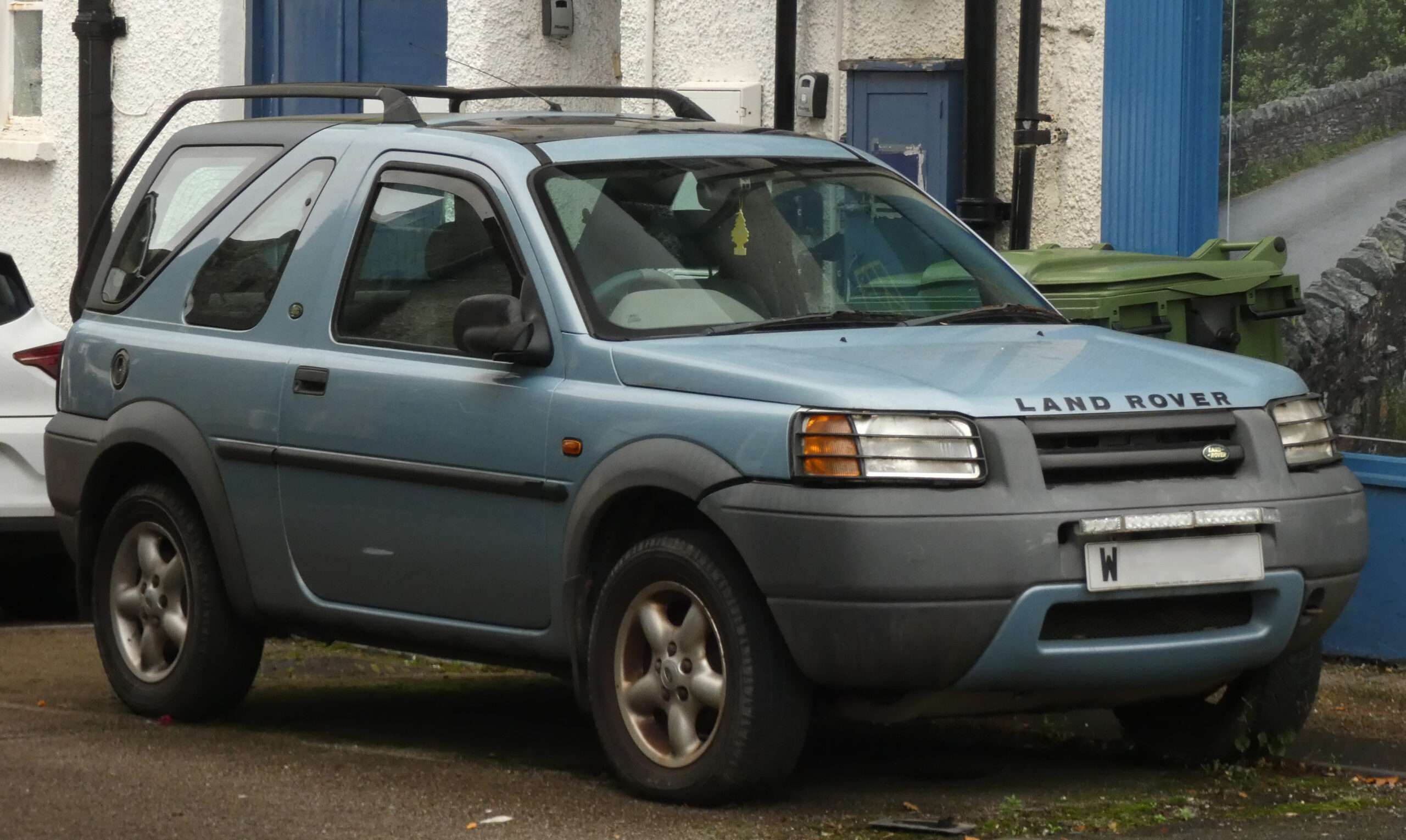
2000 Land Rover Freelander 1 XEi 1.8 petrol, front view — Harvey Bold, via Wikimedia Commons (CC0 1.0). Resized and optimised for display; no content changes. Representative vehicle photograph; identify the actual build, engine management and fitted equipment separately.