
For the Range Rover Sport L494 4.4 SDV8, buy confirmed V8-diesel engine and fitted-system reading rather than relying on the L494 name alone. iCarsoft LR V3.0 and GAP IIDTool offer documented early-application routes. Model-year coverage, controller information and the required hardware matter more than the number of functions advertised.
Which vehicles this guide covers
UK second-generation L494 Range Rover Sport with the original 4.4 SDV8 diesel, using early 2014/2015 evidence. Later SDV8 builds require their own coverage check. It excludes the L320 3.6 TDV8, L494 six-cylinder diesels, petrol V8s, hybrid applications and the later L461. JLR’s September 2013 announcement confirms the 4.4 SDV8 addition for the 2014 Sport, with its own installation and calibration; full-size Range Rover coverage should not simply be copied across.
Before choosing a tool, establish the actual model year, engine management, gearbox and fitted equipment. Record the task you want to perform: reading an engine report is different from inspecting a chassis controller or running a service routine. Modifications, conversions and replacement controllers need individual checks.
Match the scanner to the question
| Owner question | Reading to confirm | Limit |
|---|---|---|
| Intermittent reduced performance | Full TDV8 engine code, suffix and operating context | An owner’s software remedy does not establish your vehicle needs programming. |
| A desired live reading | The exact supported TDV8 parameter on the relevant model year | A generic live-data headline is not a complete parameter list. |
| Chassis or gearbox warning | Separate fitted-controller reading | Engine access cannot explain every non-engine warning. |
Amazon affiliate link. As an Amazon Associate I earn from qualifying purchases – check compatibility thoroughly before purchases.
Generic OBD and manufacturer-aware diagnostics
Generic OBD/EOBD concerns supported emissions-related powertrain information. It can be useful where the actual vehicle and reader implement the relevant functions, but it does not establish access to every Land Rover controller. A standard-looking socket, a successful engine connection or an empty engine-code list cannot establish ABS, suspension, heating, body or gearbox coverage. Generic access on one engine variant does not establish enhanced access on another.
A reported software remedy is not a scanner guarantee
The owner discussion provides the following context. A 2015 4.4 Autobiography owner reported reduced performance during light acceleration or towing and recorded P006A-84 (27) with IIDTool. They later reported an improvement after an ECU update. This is one owner’s account, not proof that the same code on another Sport needs an update, or that a reader purchase includes an appropriate software remedy.
Keep diagnosis and programming separate. The owner case is useful because it preserves the exact code, operating conditions and tool used. It does not justify recommending a reflash from a symptom alone. This guide concerns selecting a reading route; it gives no software-update procedure and makes no claim that updating an ECU is necessary or safe for the reader’s vehicle.
iCarsoft LR V3.0: documented reading entry
The LR V3.0 manufacturer lookup provides LANDROVER → Range Rover Sport → 2014–2015 → Diesel V8 4.4L. Its ECM diagnostic card lists fault reading/clearing, live data, module information and freeze-data reading. A shared engine-choice list or a long result page does not make every service routine appropriate to the fitted engine and equipment. Use the official function lookup to reproduce the selection.
GAP IIDTool: check platform, year and function
GAP’s L494 → 2014 table explicitly lists PCM–Engine TDV8 fault reading/clearing and TDV8 live values including engine speed, coolant temperature and air-flow information. Transmission, chassis and other rows are listed separately. This is an early model-year example; the table’s own warning about missing or incorrect information means that required values and later builds need confirmation. See GAP’s function and hardware tables.
Treat engine, transmission and chassis reports as separate evidence. Confirm the engine controller and available data before assuming a tool advertised for the L494 3.0 diesel also provides the exact SDV8 reading task. For later vehicles, check the relevant year group, hardware generation and adapter conditions with GAP or the supplier.
Choose the tool for the report you need
For occasional fault reading, a handheld can be sensible if the supplier confirms the precise engine and fitted controller. For repeated ownership diagnostics, compare the manufacturer-aware specialist route and its licence conditions. For a single difficult problem, paying an appropriately equipped specialist for a saved report may be more useful than buying a tool with unconfirmed access. Fault-code access, data viewing and a service routine are different capabilities.
The Amazon panels in this article link to the iCarsoft LR V3.0 search. They do not link directly to Nanocom or GAP IIDTool and do not guarantee that every search result is suitable. Check the actual seller, genuine product, return terms, exact vehicle and required reading function before purchasing. No current price or universal compatibility claim is made.
Hardware, licence and update checks
GAP separates platform coverage by model-year group and IIDTool hardware generation. Confirm G3 versus G4 and any required adapter with the supplier for the exact vehicle; do not assume the newest-looking unit is directly interchangeable. Use the manufacturer-approved connection equipment. The BT product is supplied with one VIN licence for its VIN-locked functions; further licences and Pro conditions differ. Confirm the app/device requirements and current firmware. This is a purchasing check, not an instruction to modify a diagnostic connector.
For iCarsoft, confirm the LR V3.0 model rather than assuming that a different iCarsoft version has the same support. Ask about supplied leads, current vehicle software, serial-specific updates, supported update computer and the exact diagnostic card. A service-menu name is not a promise that its routine applies safely to every build.
Love cool cars? Join Unusual Cars Club FREE!
Get forgotten motoring finds, stories, helpful car content and more.
Free to join. No spam. Unsubscribe whenever you like. See our privacy policy.
Save a useful first report
Save the original report before clearing anything. Record the private VIN/build identification, engine, gearbox, fitted equipment, exact warning wording, symptoms, recent repairs and tool/software version. Keep the controller name, full code including suffix, status, description and any available freeze-frame or live-data context. Distinguish a controller reporting no faults from one that did not communicate, and identify systems the tool did not access. A code is evidence for investigation, rather than a parts order; clearing it does not repair the cause.
Limits of the scan
Reading faults, clearing faults, viewing data, running a service routine, commanding an active test and programming a module are different capabilities. This guide guarantees none of the latter functions. It contains no immobiliser, key-programming, security-access, brake-repair, suspension-calibration or forced-regeneration instructions. Symptoms affecting braking, steering, suspension or drive control need appropriate professional assessment. A scanner cannot certify mechanical engine or gearbox condition.
Frequently asked questions
Can I use full-size L405 support as proof for my Sport?
No. Select the L494 Sport, actual model year and 4.4 diesel engine in the coverage documentation.
Does buying IIDTool mean an ECU update will fix P006A?
No. The owner case is not a universal diagnosis or a programming recommendation.
Related diagnostic guides
For six-cylinder coverage, see the early L494 3.0 diesel guide. For the previous Sport generation, use the L320 diesel guide.
Browse the Land Rover and Range Rover diagnostic scanner guides for the published manufacturer directory, or the complete car diagnostic scanner directory for other makes.
Sources and review
Documentary review: 1 November 2026. Unusual Cars has not independently tested these vehicles, scanners or functions. Owner reports establish questions and experiences, not failure rates, confirmed causes or universal compatibility. Exact functions vary by vehicle build, fitted module, software, interface and tool version. Product support and seller listings can change; recheck before purchase.
Manufacturer evidence reviewed: GAP IIDTool functionality and hardware coverage; iCarsoft LR V3.0 vehicle/function lookup. JLR 2014 SDV8 Sport announcement. The owner source is linked beside the question it illustrates. Owner reports do not establish failure rates, independently verified repairs or current tool compatibility.
Amazon affiliate link. As an Amazon Associate I earn from qualifying purchases – check compatibility thoroughly before purchases.
Featured photograph credit
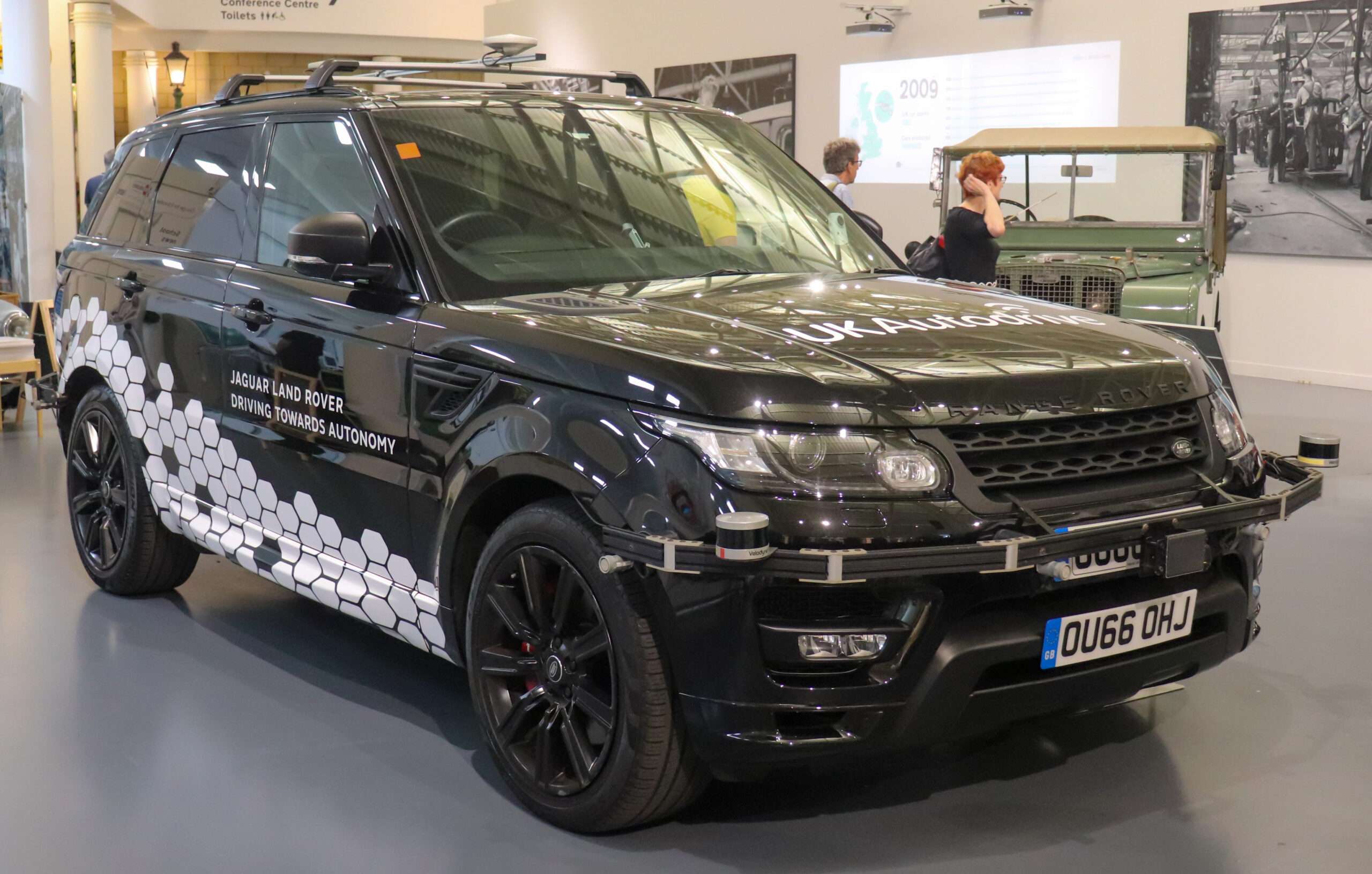
2016 Range Rover Sport L494 Autobiography Dynamic SDV8 4.4, Autonomous Urban Drive museum vehicle — Vauxford, via Wikimedia Commons (CC BY-SA 4.0). Resized and optimised for display; no content changes. Photograph remains under CC BY-SA 4.0. Museum demonstration vehicle with Autonomous Urban Drive equipment; it illustrates the L494 SDV8 generation, not standard production equipment or scanner coverage.