For a UK pre-facelift BRZ, choose a diagnostic tool with confirmed BRZ coverage for the system you need. A Subaru badge on the scanner, or a successful engine-code connection, does not establish ABS, stability-control, airbag or automatic-gearbox access. If the required coverage cannot be documented, a BRZ-capable Subaru specialist is the sensible next step before buying hardware.
Which BRZ does this guide cover?
This guide covers UK-supplied, first-generation ZC6 Subaru BRZ coupes from the pre-facelift 2012–2016 range, with the naturally aspirated 2.0-litre FA20 engine and original management. It considers the six-speed manual and conventional six-speed automatic separately. This is a rear-wheel-drive application; do not bring across WRX or Forester four-wheel-drive diagnostic assumptions.
The reproduced Subaru UK launch specification identifies SE and SE Lux versions with manual or automatic transmission. Subaru’s engineering introduction describes the 2.0-litre engine, Toyota direct-injection collaboration and both gearbox types. Those sources establish the application; they do not certify any aftermarket scanner on an individual UK controller.
The year range is a scope boundary, not a claim that all registrations share identical electronics. Check original market, build/applied model and gearbox. Excluded are the MY2017 facelift, later ZD8/2.4-litre BRZ, imports, Toyota GT86 and Scion FR-S as separate vehicle identities, remaps, forced-induction conversions, engine/ECU swaps and competition modifications. A replaced bumper or a UK registration does not establish the original build.
Our BRZ handheld starting point: Foxwell NT530 Plus with Subaru software
The Foxwell NT530 Plus, supplied or activated with Subaru manufacturer software, is the strongest documented handheld starting point in the evidence reviewed here. The official Foxwell European BRZ catalogue lists NT530Plus and the older NT530 for model years 13MY–16MY. Saved controller-level checks include 13MY engine and 14MY ABS, SRS and automatic transmission. This is manufacturer catalogue evidence, not independent vehicle testing or proof of every operation on every UK build.
For a car first registered in 2012, establish its actual model year: the reviewed European catalogue starts at 13MY. Confirm your exact build, gearbox, required controllers and live values before purchase. Specify Subaru software, check genuine-unit support and update access, and do not substitute a generic NT301 or a package configured only for another marque. The catalogue’s broad function labels do not guarantee coding, programming, calibration, active tests or any particular reset.
Which scanner route should you choose?
| Route | Useful role | Check before committing |
|---|---|---|
| Foxwell NT530 Plus with Subaru software | Manufacturer-catalogue-supported BRZ handheld starting point | Match European 13MY–16MY listing to actual build and gearbox; confirm required systems and values. A 2012 registration needs model-year identification. |
| BRZ-capable Subaru dealer or independent with legitimate Subaru Select Monitor equipment | Practical route when a named controller or warning needs manufacturer-aware diagnosis | Confirm older UK BRZ support, exact system, available data and a saved scan report. |
| iCarsoft JP V2.0 with the appropriate current vehicle software | Handheld candidate to investigate, not a confirmed BRZ recommendation | Obtain explicit UK ZC6 year/gearbox/controller confirmation. The reviewed Subaru diagnostic list does not name BRZ. |
| iCarsoft TYT V1.0 | Lower-cost brand-aware candidate to compare after coverage confirmation | The same BRZ-specific evidence is needed; a smaller or cheaper tool is not automatically sufficient. |
| Compatible generic EOBD reader or app/interface | Limited emissions-related engine record | Do not treat engine access as ABS/VSC, SRS, body or full automatic-controller coverage. |
For an engine warning alone, an existing compatible reader may provide enough information to save the initial code report. For a brake, airbag or automatic warning, start with the required controller and work backwards to a confirmed tool. Buying a succession of generic dongles is unlikely to answer an unverified manufacturer-specific coverage question.
Why the usual Subaru handheld recommendation needs another check
The JP V2.0 is a standalone multi-brand Japanese/Asian-market handheld. The manufacturer describes a 4-inch display and free lifetime updates. That makes it a candidate to investigate; it does not establish this BRZ application. Confirm the supplied unit and software version, update-computer requirements, seller support and returns.
The reviewed JP V2.0 Subaru function sheet is the important limitation. Its diagnostic model list names several Subaru families but omits BRZ. A BRZ entry appears in a separate oil-function table with conditional support. That is not evidence of engine, ABS, SRS or automatic-transmission diagnostics, and it does not establish that the car needs a scanner-based oil reset.
The omission also does not prove that every current JP V2.0 is incompatible: software and lists can change. The honest conclusion is that exact BRZ diagnostic support remains unconfirmed in this evidence. Use the manufacturer’s coverage enquiry route to request a current answer for the actual car and controllers. Do not order solely because Subaru and Toyota both appear in the brand list.
The TYT V1.0 is a budget comparison with a smaller 2.8-inch display and PC-based updates described by the manufacturer. It needs the same application check. More expensive iCarsoft models or workshop tablets also need their own BRZ evidence; features on another model’s chart cannot fill the JP V2.0 evidence gap.
The Toyota connection does not make every GT86 profile interchangeable
Subaru documents the joint engineering background. That is a reason to investigate BRZ-specific support carefully, not permission to select a Toyota or Scion profile at random. Confirm the exact supported identification route in the tool instructions or with its supplier. Shared hardware does not by itself settle software identity, fitted equipment or a particular diagnostic function.
Subaru’s SSMIII usage bulletin visibly separates a BRZ inspection branch from the other-model menu. This is US manufacturer documentation, used here only to show that BRZ diagnostics have a distinct tool route. Its other-model demonstration does not certify UK BRZ functions. When booking a scan, ask specifically for BRZ capability rather than simply asking whether the workshop can scan Subarus.
Owner discussions often mention Toyota Techstream. A report from an FR-S or GT86 is not a licence, interface specification or compatibility guarantee for your UK BRZ. This guide does not provide dealer-software downloads, vehicle-profile workarounds, configuration changes or programming procedures.
Manual and automatic: keep the controller questions separate
| Vehicle | Request | Boundary |
|---|---|---|
| Six-speed manual | Engine, ABS/stability, SRS and any other fitted controller relevant to the symptom | An automatic menu does not mean a TCM is fitted; a clean engine scan does not certify the clutch or gearbox. |
| Six-speed automatic | The same relevant systems, plus this automatic’s fault information and specifically required live values | This is not a Subaru Lineartronic CVT. Engine connection alone does not prove full automatic-system access. |
If you want automatic fluid temperature or a particular transmission value, name it before purchasing. A data item appearing on a later BRZ or another Toyota does not confirm it here. Reading data, clearing memory, running a service function and resetting learned values are separate operations. No adaptation or transmission-calibration procedure is offered in this guide.
ABS/VSC and SRS need more than an engine scan
Use the names shown in the car and tool documentation for the brake, stability and restraint systems. A scanner may group brake/stability functions differently; do not interpret the label as proof of what is fitted or accessible. Ask separately about codes and any required live information, such as wheel-speed data. SRS code access does not establish restraint repairs, crash-data handling or module setup.
If the tool cannot communicate with a system, record that limitation. It does not mean the system has no faults. Brake or airbag warnings need appropriate diagnosis; do not use repeated clearing or an unrelated reset command as a way to judge whether the car is repaired.
What generic OBD2 can still contribute
A compatible standards-based reader can retrieve supported emissions-related engine codes and standard data, together with available freeze-frame and readiness information. That can be valuable evidence for an engine-warning investigation. It is not a full scan of every BRZ controller, even if the app describes its code database as manufacturer-specific.
Keep the complete code, status, reporting system and operating conditions before clearing anything. A code identifies a detected condition, not a confirmed failed component. “No codes” in an engine menu cannot resolve a separate ABS or airbag warning, and a scanner description cannot establish the cost or extent of a repair.
Oil temperature: a useful value, but a separate capability
Do not assume that coolant temperature and engine oil temperature are the same reading. BRZ owners discuss missing oil data, adapter differences and changes between model years. The FR-S/BRZ oil-temperature discussion includes later cars outside this guide and illustrates why an app, adapter, definition and vehicle year must be matched. Its commands and formulas are not a verified recipe for this UK range.
The Pelican BRZ parameter catalogue distinguishes confirmed entries from years still in testing. For example, one oil-temperature definition has a confirmed 2015 entry while other years remain unconfirmed in that table. Even that entry is not certification of every UK 2015 build. Request the exact value and application you need; displaying one enhanced engine value still does not prove ABS or SRS access.
Can FreeSSM replace a BRZ-capable scanner?
Not on the evidence reviewed here. The official FreeSSM README lists other Subaru model families and describes engine/transmission access, but does not name BRZ. Its use on an older Legacy or Forester is not BRZ compatibility evidence. Do not buy an older Subaru cable or transfer K-line instructions into this application simply because both vehicles have a diagnostic socket.
For phone-based tools, match the operating system, adapter and application. The OBDLink support guide distinguishes standard diagnostics from available enhanced add-ons. A working adapter does not make every brand enhancement available. Confirm actual BRZ controller coverage before paying for an add-on or treating it as a whole-car solution.
Questions owners ask before buying a tool
The engine and traction warnings came on together. Which part has failed?
The lamp combination is not enough to identify a failed part. A 2014 BRZ owner report describes warnings returning after a scan was cleared without a usable code report. The lesson is to preserve the original information and identify which controllers were read. The report does not establish the cause on another car, and this guide does not certify continued driving with warning lamps.
Can an engine logger diagnose an airbag warning?
Engine logging and restraint diagnostics are different tasks. Ask for the actual SRS controller and supported operations. A successful dashboard display or engine data log is not evidence of restraint access. Aftermarket steering wheels, seats or previous collision repairs can also put a car outside standard-configuration assumptions; disclose those changes to the specialist.
Should I buy a tool advertised as supporting all Subarus?
Only after confirming the exact BRZ application and the task required. Ask for the software version and supported menu/controller, not just a yes against a brand name. If the seller cannot provide that detail, leave the result unconfirmed and compare a documented alternative or a workshop scan. There is no basis here for guaranteeing every system or declaring all handhelds unsuitable.
Love cool cars? Join Unusual Cars Club FREE!
Get forgotten motoring finds, stories, helpful car content and more.
Free to join. No spam. Unsubscribe whenever you like. See our privacy policy.
Information to have ready
- UK-supplied pre-facelift BRZ ZC6, build/applied model and original six-speed manual or automatic. Use the seller’s appropriate support channel for vehicle identity.
- Original or changed engine management, known remap or forced induction, and relevant previous repairs or modifications.
- Exact warning/symptom and controller required: engine, ABS/stability, SRS, automatic or another fitted system.
- Whether you need codes, a saved report or particular live values. Keep these separate from service resets, calibration and programming.
- Current hardware/software, computer and update requirements, support and return arrangements if documented coverage is not delivered.
Follow the exact vehicle and tool connection instructions and use the device while stationary. Save the report before clearing. Do not bridge pins, bypass warnings, run brake or restraint output tests, or experiment with security/configuration menus from an internet recipe. A BRZ-capable specialist can explain what was read and what remains to be investigated.
Related guides and limits
Browse the Subaru diagnostic-scanner hub and main OBD directory. For model history and purchase context, read the separate Subaru BRZ UK history, specifications and buying guide. Its buying intent is different from this scanner-selection guide.
Exact functions vary by build, module, software, interface and tool version. Code reading, clearing, live data, active tests, service functions, calibration, coding and programming must not be treated as equivalent. This guide guarantees none of the higher-risk functions and provides no immobiliser or key-programming instructions. Unusual Cars has not independently tested this BRZ, scanner or function.
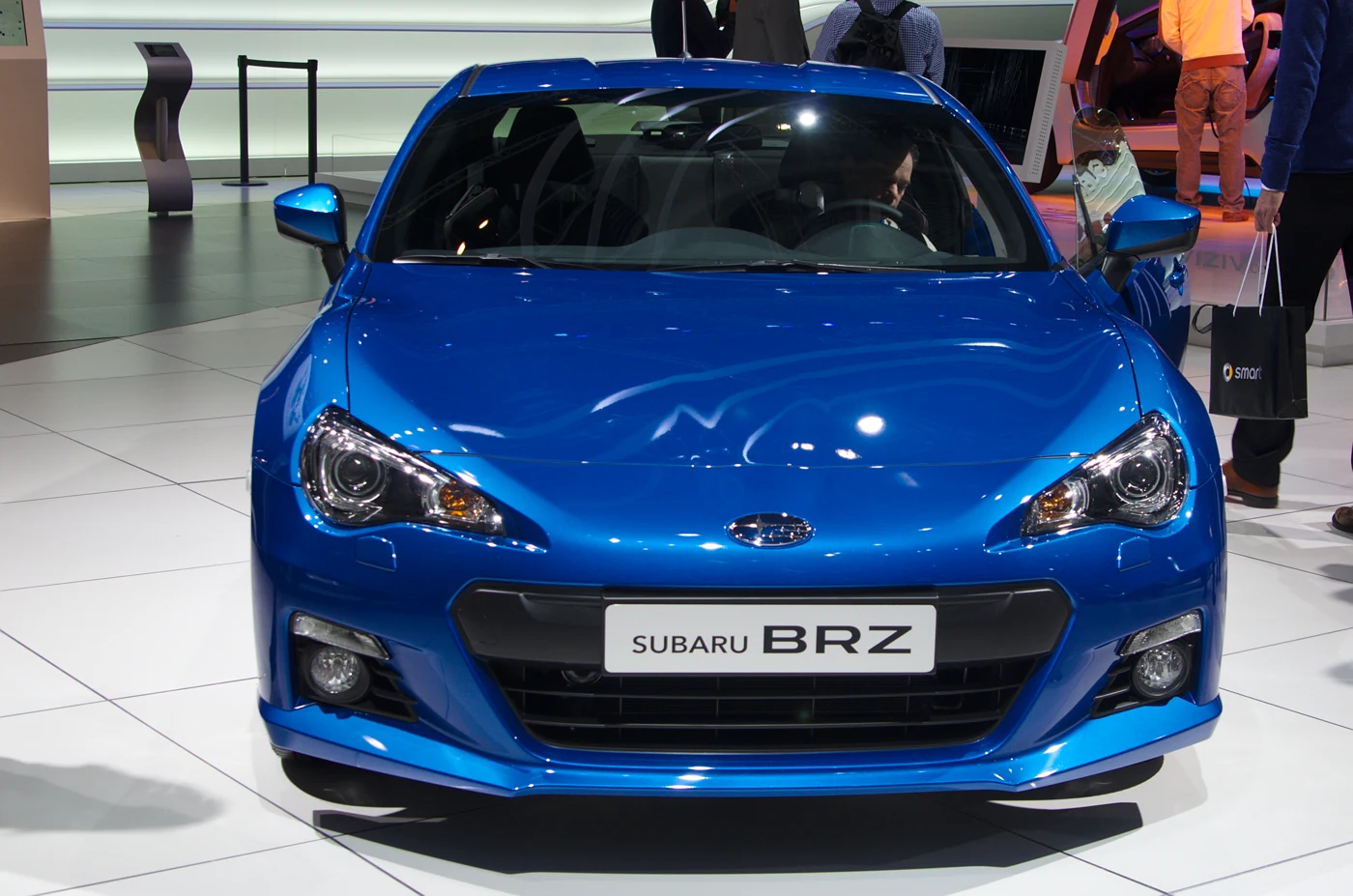
Vehicle photograph: pre-facelift BRZ, Geneva 2013, by Clément Bucco-Lechat / Wikimedia Commons, CC BY-SA 3.0. Proportionally resized and converted to WebP; derivative under the same licence. Illustrative European show car; UK equipment and diagnostic coverage require separate checks.
Sources and review
Reviewed 27 October 2026. Manufacturer engineering and reproduced UK launch information define scope. US service information establishes only the distinct BRZ tool branch, not exact UK functions. Product/project documentation is kept separate from owner-question discovery. Foxwell’s European BRZ catalogue supports the named handheld starting point, with model-year and controller limits. The linked iCarsoft search remains separate and does not establish iCarsoft BRZ compatibility.
- Subaru BRZ engineering introduction
- Reproduced Subaru UK launch specification
- Subaru SSMIII usage bulletin01-172-14
- iCarsoft JP V2.0 manufacturer page
- JP V2.0 Subaru diagnostic function sheet
- iCarsoft official coverage enquiry route
- iCarsoft TYT V1.0
- FreeSSM official README
- OBDLink enhanced-diagnostics support
- Pelican BRZ parameter evidence
- 2014 BRZ owner warning question
- FR-S/BRZ oil-temperature discussion