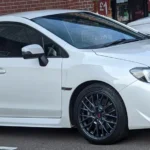

For a UK Hawkeye STI 2.5 Type UK, shortlist a Subaru-aware tool for engine, ABS and SRS reading, and treat DCCD access as an additional coverage check. The iCarsoft JP V2.0 is the main owner shortlist here. Neither generic engine OBD nor a Subaru-wide “all systems” claim proves access to this STI’s differential controller.
Which 2.5-litre Type UK STI is covered?
This guide covers the UK-supplied GD Hawkeye WRX STI Type UK saloon, model years 2006–2007, with the original 2.5-litre turbo engine, ECU, six-speed manual gearbox and original DCCD equipment. It is separate from the earlier UK 2.0-litre STI, the non-STI Hawkeye WRX and the later hatchback generation.
The archived Subaru UK MY2006 announcement identifies the 2.5-litre STI. Subaru’s European launch material describes revised DCCD for this facelift. That defines a different research scope; it does not itself confirm an aftermarket scanner function.
Excluded from this standard baseline are Spec D and RB320 pending their own equipment checks, PPP/remapped examples, Japanese and other imports, Spec C/Type RA/S-series cars, drivetrain or ECU swaps, aftermarket differential controllers and competition conversions. The period STI Performance Package brochure explicitly includes recalibrated engine management, so a PPP car should not silently inherit a standard-ECU assumption.
Which scanner should you shortlist?
| Route and setup | Best fit | Useful scope | Buying limit |
|---|---|---|---|
| iCarsoft JP V2.0 with Subaru software; standalone handheld | Main owner shortlist for Subaru-aware reading | Codes and data on supported Subaru controllers, alongside generic engine OBD | Confirm this UK model year and each required controller; a family list is not a VIN-level guarantee. |
| iCarsoft TYT V1.0 with Subaru software; standalone handheld | Lower-cost alternative to compare | Manufacturer-aware diagnostic product family; smaller display | Confirm the supplied version, actual coverage, update arrangements and support. |
| Subaru specialist with suitable legitimate SSM equipment | A warning or module the owner tool cannot document | A vehicle-specific diagnostic report from an appropriately equipped workshop | Confirm support for this older UK car and the required system before booking. |
| Compatible generic EOBD reader or app/interface pair | A limited engine-emissions check | Supported codes, readiness, freeze-frame and standard live data | Does not establish ABS, SRS or DCCD access. |
The JP V2.0 is our main documentary shortlist choice, rather than a generic engine reader as the default purchase. It has a 4-inch display and the manufacturer advertises free lifetime updates. Confirm the update requirements for the exact unit supplied. Unusual Cars has not independently tested it on this car.
The Subaru function sheet lists Impreza and separate engine, ABS, SRS and other system rows. It does not map those rows to every UK year, ECU or trim. Its DCCD entry is a reason to ask a specific coverage question, not proof that this Hawkeye STI controller can be read.
The TYT V1.0 is a Subaru-aware budget alternative, with a 2.8-inch display. More expensive JP V3.0/V4.0 options need a specific, supported benefit to justify the upgrade. In particular, the JP V3.0 Subaru coding table begins at 2014, outside this guide’s scope. Broad coding advertising should not drive a Hawkeye purchase.
Before ordering, give the seller the applied model, model year, UK origin, engine, gearbox, installed software and required task. Ask separately for code reading and any live values you need. Check support, returns and the update computer/software requirements. Documentary review: 26 October 2026.
Four separate diagnostic questions
| Route and setup | Best fit | Useful scope | Buying limit |
|---|---|---|---|
| Engine ECU | Codes and engine data | Standard emissions data and Subaru-specific information have different boundaries | A logger or tuning device is not evidence of ABS or DCCD access. |
| ABS | Brake-controller fault information | Confirm this STI controller and the exact code/data task | Do not assume WRX or JDM coverage is identical. |
| SRS | Restraint-controller fault information | Confirm the fitted UK system and tool software | Code reading does not authorise restraint repair or tests. |
| DCCD | Original centre-differential controller | Request explicit UK 2006/2007 STI code/data confirmation | A generic AWD menu is not proof; no calibration or active-test promise. |
Having six forward gears does not make this an automatic TCM application. DCCD is a separate drivetrain question. Establish the original controller and vehicle identity before comparing menus, and describe the warning accurately when asking a seller or specialist about coverage.
Generic engine OBD is a limited first layer
A compatible EOBD tool can help retrieve supported emissions codes, standard engine data, readiness and available freeze-frame. It cannot establish the status of the STI’s ABS, SRS or DCCD merely by returning an engine scan. “No engine codes” is therefore an incomplete answer when a different system has raised the warning.
Keep code reading separate from fault clearing. Saving the original report preserves evidence for the next diagnostic step. A code name or a forum account does not establish that the same sensor, controller or wiring needs replacement on your car.
Laptop software: engine information is a separate route
FreeSSM is worth considering for supported engine-control information, not as the main all-system recommendation. The reviewed interface help describes serial/pass-through K-line hardware and excludes ELM interfaces. A USB plug or a cable advertised as “Subaru” does not establish compatibility. Match the actual software release, driver and interface instructions.
The project’s documented engine/transmission scope does not establish ABS, SRS or DCCD access. A TCM feature is not a reason to select an automatic profile for a manual car. Do not combine instructions for an old packaged release with assumptions about a newer development build.
RomRaider is a tuning and logging project. Supported ECU definitions and interfaces matter. An engine logger is not evidence of wider module access, and the presence of an editor is not permission to change the ECU. No reflashing, tuning, emissions-disable or security workflow is provided here.
Questions Hawkeye STI owners ask
Will a scanner clear or fix a flashing DCCD warning?
Do not select a tool on a promise to extinguish the lamp. First establish what the original system has recorded and whether the proposed equipment can retrieve it. Resetting memory is not evidence of a repair. This guide provides no DCCD blink-code, adjustment, calibration or actuator procedure.
Can I use a diff-controller forum fix on my standard STI?
The 2007 STI aftermarket-controller discussion demonstrates why modification history matters. It concerns an installed replacement controller. That report is a question-discovery source, not a UK-standard diagnosis or a setup recipe. Tell the workshop about controller, suspension, steering or drivetrain changes.
My engine tool works. Why is ABS still missing?
Ask what the tool actually queried. The Hawkeye ABS discussion contains different markets and software suggestions, so it cannot certify your UK STI. Request confirmation for the fitted ABS controller; a compatible engine cable or a broad “OBD/CAN” label is not the same evidence.
Can a more expensive JP tool code this 2006–2007 STI?
Do not infer that from the product’s headline. Its Subaru coding date range is later than this car. Any particular service or configuration function would need its own exact application evidence; none is guaranteed here.
Love cool cars? Join Unusual Cars Club FREE!
Get forgotten motoring finds, stories, helpful car content and more.
Free to join. No spam. Unsubscribe whenever you like. See our privacy policy.
Before connecting or booking a diagnostic visit
- Record the model year, applied model, original market, gearbox and any known modifications.
- Identify the warning and request the relevant controller; save codes, status and available freeze-frame before clearing anything.
- Use the exact tool/vehicle connection and ignition instructions. Do not join loose under-dash connectors or bridge pins from a forum recipe.
- Operate the equipment while stationary; do not handle a laptop or scanner while driving.
- For brake, restraint, steering or drivability concerns, obtain appropriate diagnosis rather than repeatedly erasing warnings.
When to use a Subaru specialist
A Subaru dealer or suitably equipped specialist is the practical next step when the required access cannot be established. Subaru Select Monitor is the manufacturer diagnostic reference, but its name alone does not guarantee that a workshop’s current installation supports every legacy UK controller. Ask about the exact car and system. The European technical-information portal should likewise be checked for model applicability before buying access.
What this guide does not promise
Code reading, live data, clearing faults, active tests, service resets, calibration, coding and programming are separate capabilities. This guide promises no particular active test, coding, calibration, immobiliser, key or ECU-programming function. Exact functions can vary by vehicle build, module, software, interface and tool version.
This is documentary research. Unusual Cars has not independently tested the car, scanner or function. This guide covers scanner selection and diagnostic access, not repair, calibration or programming procedures.
More Subaru diagnostic guides
Browse the Subaru diagnostic-scanner hub and the main OBD directory. For the earlier engine and build, read the 2002–2005 STI Type UK 2.0 guide.
For the other Hawkeye model, read the separate Subaru Impreza WRX 2.5 Hawkeye Scanner Guide (2006–2007). Match its engine, gearbox and original-market scope before using it.
Sources and review
Reviewed 26 October 2026. Period European manufacturer material and reproduced UK announcements define scope; manufacturer and software-project documents support tool descriptions. Owner discussions identify questions only. Overseas, modified and aftermarket-controller reports do not establish UK-standard compatibility.
- Subaru European facelift announcement, August 2005
- Archived Subaru UK MY2006 price announcement
- Reproduced Subaru UK MY2006 range announcement
- IWOC MY2006 UK model reference
- iCarsoft JP V2.0 manufacturer documentation
- iCarsoft Europe Subaru V11.10/V11.15 function sheet
- iCarsoft TYT V1.0 manufacturer documentation
- iCarsoft JP V3.0 manufacturer documentation
- FreeSSM reviewed interface and vehicle help
- FreeSSM official project
- RomRaider official project
- Subaru Select Monitor III launch
- Subaru European technical-information portal
- Owner discussion: Hawkeye ABS reading and FreeSSM confusion
- Subaru/Prodrive MY2006 STI Performance Package brochure
- Owner/manufacturer forum: 2007 STI aftermarket diff controller