Affiliate notice: This guide contains affiliate links. As an Amazon Associate I earn from qualifying purchases.
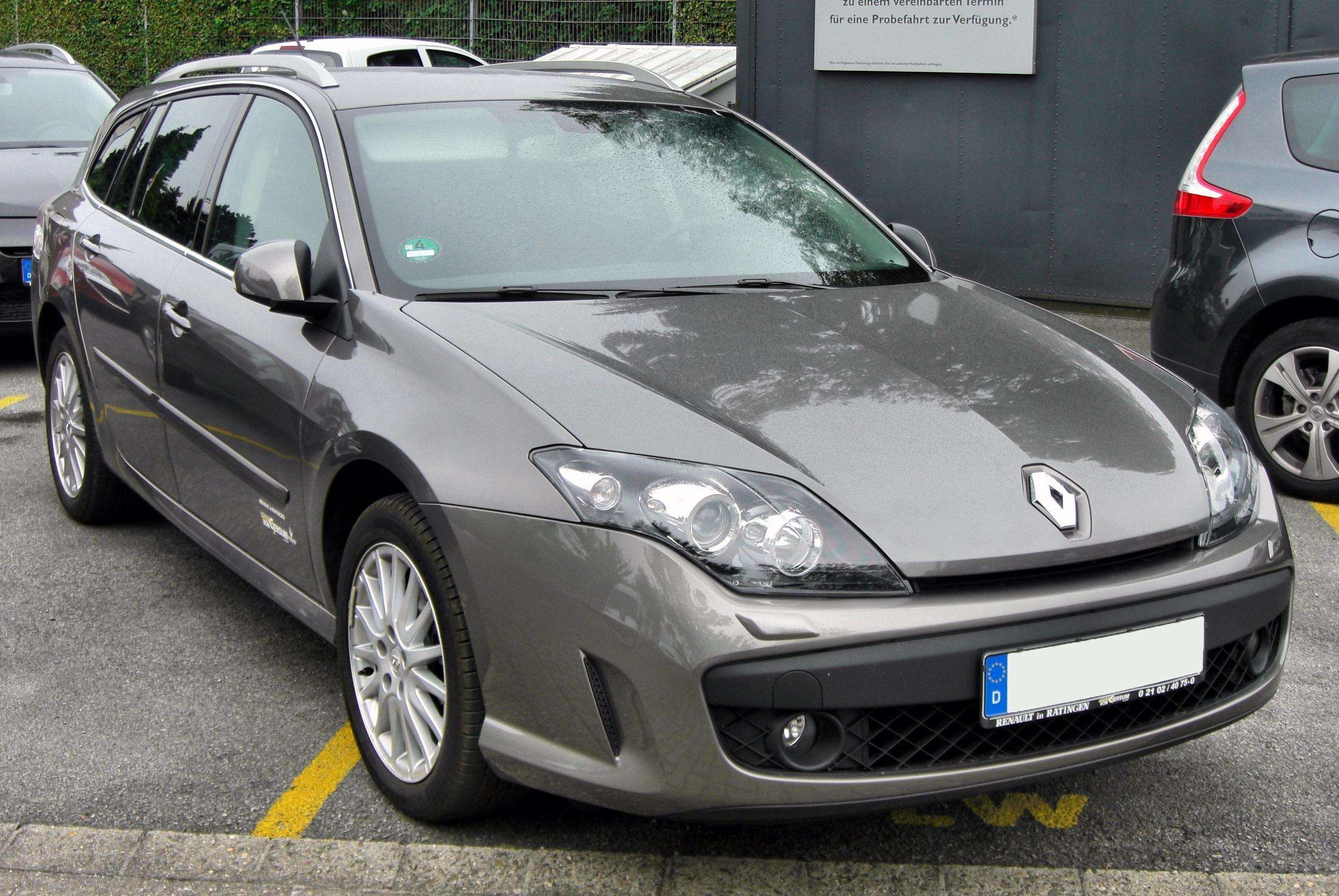
Laguna III GT Sport Tourer illustrated; the photographed engine and UK specification are unverified.
For a Laguna III GT 205, the strongest reason to choose Renault-aware diagnostics is access to the system behind the warning. A compatible basic OBD2 reader can supply supported engine-emissions information. A question about ABS, 4Control rear-wheel steering or the parking brake needs confirmed reading of the relevant controller, rather than an engine-only reassurance.
The useful purchase is a tool that can identify and read your actual GT’s required systems. An iCarsoft FR V2.0 is a candidate for that enquiry; a Renault specialist is an alternative when you only need one report. Neither a long service menu nor a shared Laguna name proves the exact function.
Which Laguna GT is covered?
UK-market right-hand-drive Laguna III GT 2.0 Turbo 205 petrol, hatchback or Sport Tourer, focused on the original 2008-launch Phase 1 manual cars. Confirm actual build, engine, body and fitted 4Control/parking-brake equipment. A later registration does not establish a later phase. Excludes Laguna II GT 205, Laguna III Coupé, all diesels, 170 automatic versions, overseas trim combinations and materially modified electronics. This is not a complete UK end-of-sale calendar.
Renault’s June 2008 UK Hatch and Sport Tourer brochure documents the petrol GT 205 and 4Control, while the UK launch release identifies the two bodies and UK ordering from May 2008. The brochure separates the 205 petrol manual from the 170 petrol automatic. That is an important distinction when a scanner’s Laguna family menu includes transmission functions.
| Your question | Useful report | What does not answer it |
|---|---|---|
| Engine-emissions warning | Compatible EOBD codes and available data | An assumption that every warning is an emissions fault. |
| ABS or stability warning | Supported ABS controller report | A clear engine scan alone. |
| 4Control concern | Confirmed four-wheel-steering controller access | ABS access without specific steering confirmation. |
| Parking-brake warning | Confirmed parking-brake report | A brake-service logo without reading coverage. |
Why ABS and 4Control need separate confirmation
The UK brochure describes interaction between the 4Control computer and ABS/ESP. This is a reason to preserve information from the relevant systems when investigating a chassis warning. It is not proof that simultaneous warnings share one cause, or that every reader accessing ABS can also communicate with four-wheel steering.
Ask explicitly for the 4Control or four-wheel-steering controller, alongside ABS if that is part of the complaint. Confirm ECU identification, full fault reading and any particular data item you need. Reading support does not establish steering calibration, actuator operation or a completed diagnosis.
A GT 205 owner case shows why the original codes matter
An overseas Laguna III GT 205 4Control owner thread records an ABS-module investigation in 2025. In July 2026 another GT 205 owner asked which codes the earlier car had produced, wanting to distinguish a module concern from a possible wiring problem. The first owner later reported a successful workshop repair. These are reported experiences, rather than an independently verified diagnosis for another car.
The useful point is the missing report. “ABS module faulty” is less informative than the identified controller, complete code, description and status. An owner’s successful outcome cannot establish that a second car needs the same part. The discussion also contains separate battery and engine-warning episodes; they should not be blended into one failure story.
This guide does not adopt the thread’s replacement or programming suggestions. It also does not treat an owner’s comment about parts supply as a current availability statement. The next step for a real warning is to obtain and interpret the actual evidence, with physical checks where appropriate.
What the iCarsoft Laguna III reference lists
The FR V2 Renault reference lists Laguna III ABS, airbags/pretensioners, UCH body electronics, parking brake and a system named “4 Wheels Steering”, alongside other equipment-dependent entries. Its diagnostic columns concern ECU information, codes and live data. This is stronger than a bare Renault badge on a product listing, but remains a reference-only model-family list.
Before buying, obtain current confirmation for the GT 205 manual’s build and requested controller. Do not infer every parameter or service operation from a table mark. A general transmission entry belongs to the broader Laguna range; it does not make an automatic-transmission controller relevant to the manual petrol GT covered here.
When a basic reader is enough
If your only requirement is supported petrol-engine emissions codes, readiness status and available engine data, a compatible generic reader may be sufficient. The Autel AL519 manual illustrates this category. Save the scan mode, complete code text, status and available freeze-frame information before clearing.
An engine-related code describes a detected condition, not a replacement-parts instruction. A clean scan is limited to the systems and information actually checked. Mechanical symptoms, intermittent faults and systems outside the emissions route may still need investigation.
Choosing a tool for this particular car
| Route | Useful reason to choose it | Check first |
|---|---|---|
| Generic EOBD handheld | Engine-emissions reading only | Actual petrol-engine compatibility and available data. |
| Renault-aware FR V2.0 | Repeated confirmed ABS/4Control/body reading | Exact controller, current hardware and database. |
| Enhanced multibrand reader | Several cars need enhanced reading | Exact model/version and X91 task coverage. |
| Renault specialist / legitimate CLIP | An occasional report or unresolved communication | Appropriate interface, software access and actual controller. |
The FR V2.0 product page describes standalone use and free updates. Check the update package matched to its hardware or serial number, the computer operating system and USB/card-reader requirements. A reader working without a laptop at the car does not establish a phone-only update process. A multibrand option such as an MD808/MD808 Pro-type reader needs its own exact-version enquiry.
The Renault CLIP route for X91
Renault’s January 2026 applicability list places X91 Laguna III on CLIP BORNEO3 with EURO5 marked YES. This identifies a diagnostic-family route rather than every function or the entitlement attached to a particular purchase. It also distinguishes Laguna III from the older Laguna II platform.
A home setup requires suitable legitimate software access, compatible computer hardware and the correct interface. Consult the current prerequisites and official diagnostic offer against the actual task. A generic adapter or copied-software bundle is not evidence of a supported complete arrangement. For one warning, a workshop already equipped for X91 may be more economical.
Love cool cars? Join Unusual Cars Club FREE!
Get forgotten motoring finds, stories, helpful car content and more.
Free to join. No spam. Unsubscribe whenever you like. See our privacy policy.
Laguna III GT scanner questions
Does ABS access automatically include 4Control?
No. Ask separately about the four-wheel-steering controller and requested reading task. The systems’ relationship in the car does not make their diagnostic coverage interchangeable.
Can the scanner prove the rear-steering system is safe?
A report provides supported electronic evidence. It cannot certify steering or braking performance. Follow the car’s warning guidance and have unresolved chassis-system concerns assessed appropriately.
Will the Laguna II GT guide cover this car?
The badge and petrol output are similar, but the platform and controller arrangement differ. Use this X91 guide for the stated hatchback/Sport Tourer scope, and confirm the actual build.
Related Laguna guides
See the Laguna III Coupé scanner guide for that separate body scope, or the Laguna II GT 205 guide for the older generation. Neither is an exact-build compatibility substitute.
More Renault scanner guides
Browse the Renault diagnostic scanner hub or the main car diagnostic directory for other vehicles. Use each guide’s stated scope and confirm the actual controller before transferring a recommendation.
Compare related Renault guides: Mégane II Coupé-Cabriolet 2.0 Turbo 165 · Modus / Grand Modus 1.6 VVT Automatic.
Sources and limitations
Research reviewed: 15 October 2026. This article uses documentary research. Unusual Cars has not independently tested the vehicle, scanner or functions. Owner discussions identify questions and reported experiences, not fault frequency, verified diagnoses or universal compatibility. Exact functions vary by vehicle build, module, software, interface and tool version.
Confirm the specific task through the current iCarsoft coverage enquiry route. Manufacturer evidence and owner discussions are linked beside the relevant claims. Coding, programming, calibration, active tests and security-access functions are not promised.
Photo: M 93 / Wikimedia Commons — Attribution permission. Original scene retained; resized for display. Laguna III GT Sport Tourer illustrated; the photographed engine and UK specification are unverified. Resized photograph available under the same image licence.