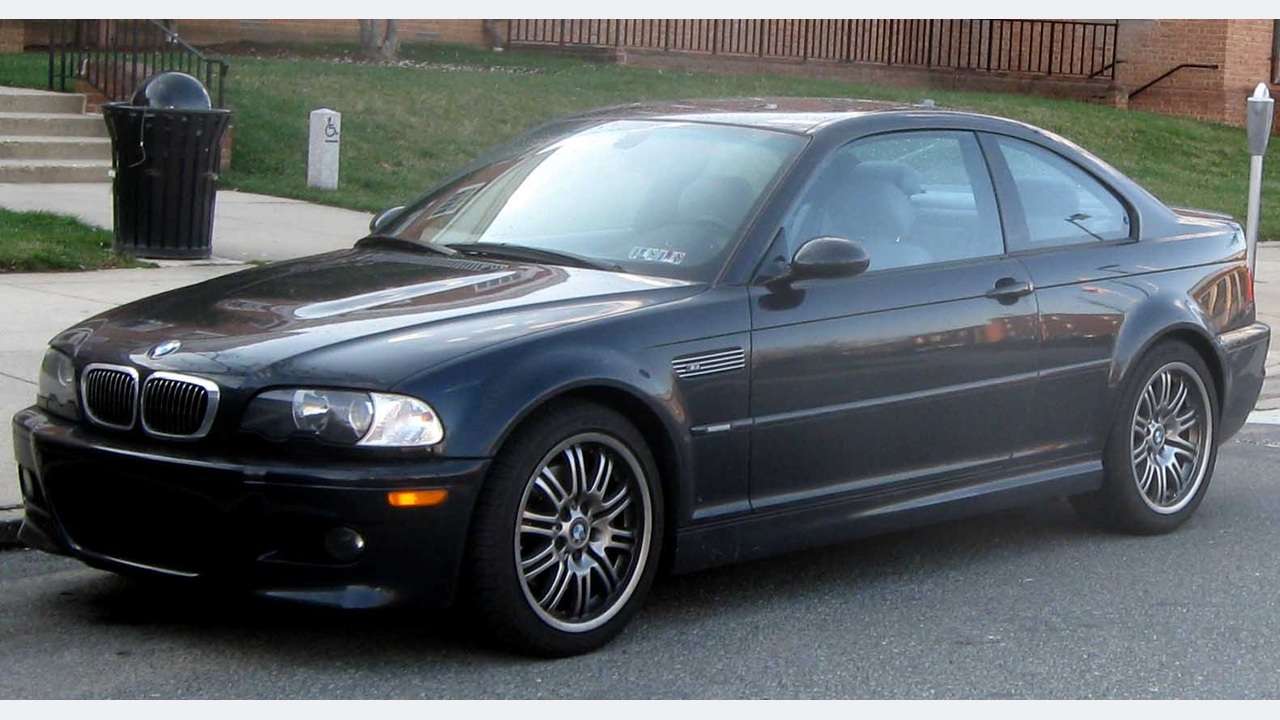
The BMW M3 E46 needs a scanner chosen for the S54 engine and the actual gearbox. An inexpensive reader may reveal an engine-emissions code, yet miss the separate DSC or SMG II report you wanted. On this older M3, confirmed legacy BMW access matters more than a promise to support “all modern BMWs”.
This is a documentary buying guide. Unusual Cars has not independently tested this vehicle, scanner or function. Exact access varies by build, controller, vehicle software, interface and tool version.
Advertisement: This guide contains Amazon affiliate links. As an Amazon Associate I earn from qualifying purchases.
Quick scanner choice
| Your main question | Sensible buying route | Confirm before ordering |
|---|---|---|
| Engine light or emissions code | Generic EOBD reader for a first look | Engine baseline only; full BMW context may need another tool |
| S54 or DSC fault report | BMW-aware handheld with confirmed E46 M3 support | Exact build, engine/controller and older interface compatibility |
| SMG II cog light or gear-selection complaint | Confirmed SMG II reading, or a BMW specialist report | Separate SMG fault memory; specific data must be confirmed |
| BimmerLink or OBDeleven purchase | Do not buy on a broad BMW label | E46-specific BimmerLink support is not established; OBDeleven excludes this generation |
Three checks before buying
Which E46 M3 is covered?
This guide covers UK standard E46 M3 fixed-roof, two-door Coupés from 2001–2006, with the naturally aspirated 3.2-litre S54 straight-six. Factory six-speed manual and six-speed SMG II cars are covered separately. BMW’s BMW UK 2001 M3 launch archive, BMW M3 generation retrospective and archived BMW ST041 E46 M complete-vehicle training, archived copy provide the documentary starting points.
The Convertible, CSL, CS special specification, GTR and race cars are excluded, along with other M3 generations, imports and materially changed engine or controller arrangements. SMG-to-manual conversions also need separate confirmation. The scanner should match the car’s present equipment, not merely the original badge.
The ordinary E46 Saloon, Touring and Coupé scanner guide has a different engine scope. Its generic compatibility advice does not establish S54 or SMG II coverage. Before buying, record the production date, exact model and gearbox, together with any known conversion or software change.
What a generic OBD2 reader can still do
Generic EOBD can be useful for supported engine-emissions codes, readiness and basic engine information. It does not establish access to the M3’s separate stability-control or SMG II fault memory. See Gendan EOBD engine tools. Do not dismiss a basic reader completely, but understand the question it has answered.
For example, if the engine light is on, a generic code may provide a useful starting point. If your complaint is an SMG cog warning or DSC light, an empty engine report does not answer it. Ask which controller was read and keep that boundary visible in any report you share.
Save the full code and exact description rather than a shortened internet explanation. A tool’s wording can vary, and a code is not an instruction to replace the component named in the description. Symptoms, the rest of the report and further investigation are still needed.
S54 VANOS: generic codes can appear too
VANOS is BMW’s variable camshaft-timing system. The S54-specific Beisan S54 VANOS component documentation lists P0011 with BMW code 67 for intake timing over-advanced, P0012 with BMW code 72 for over-retarded, and BMW 184 for intake position control. Those examples show why both the generic and BMW wording can be useful.
It would be wrong to say that every VANOS problem is invisible to generic OBD2. Some engine-emissions codes can appear on a basic reader. BMW-aware access can add manufacturer-specific context and supported engine data; ask the supplier what it actually reads on your S54.
A timing code alone does not distinguish every electrical, control or mechanical cause. Keep the original report and describe the symptom to a suitable specialist. This guide does not provide VANOS dismantling, timing procedures or a guarantee that a replacement solenoid or repair kit will solve the problem.
For buying purposes, request S54 engine fault-memory access first. If a particular camshaft value is important to your investigation, name it and ask whether the current tool software supplies it. A broad claim of “BMW live data” is not an exact answer.
SMG II needs a separate diagnostic conversation
SMG II is an electrohydraulically operated manual transmission, not the later M DCT or a conventional torque-converter automatic. BMW’s BMW ST041 E46 M complete-vehicle training, archived copy describes separate SMG fault memory and hydraulic, clutch and selector-related sensing. That makes “BMW automatic transmission support” an incomplete purchasing answer.
If the car has an SMG warning, intermittent neutral selection or a gear-selection complaint, ask whether the product reads the actual E46 M3 SMG II controller. Ask separately about any hydraulic-pressure, temperature or position data you need. The system contains those inputs; that does not establish that every consumer scanner exposes them.
A useful report preserves the controller name, complete code, description and status. Where supported, accompanying event or live information may help a workshop decide what to investigate. Do not assume a generic engine scan has checked SMG simply because the OBD connector fits.
A gear-selection complaint can still need investigation when no warning light is showing. Conversely, a warning does not identify the pump as the failed part. Do not turn forum shorthand such as “cog of death” into a diagnosis or order expensive components from that phrase alone.
Reading SMG faults is different from adaptations
Buy for the evidence you need to gather. Reading fault memory and confirmed data is one requirement; clutch learning, bleeding, gearbox adaptations and software changes are separate requirements. This guide does not guarantee or explain those commands.
If a workshop has carried out SMG repairs, ask which follow-up checks it performed and what the report showed. A menu labelled “transmission reset” on a handheld is not proof that it is the correct procedure for your E46 M3. The supplier must identify the exact system and function.
Keep manual conversions outside the factory SMG buying assumption. Changes to the gearbox and coding can leave a car with a different diagnostic arrangement from its original specification. Explain the conversion history to the supplier or specialist rather than buying solely from the registration year.
Factory manual cars: keep the scope sensible
A factory six-speed manual M3 does not need SMG hydraulic reporting. Its clutch and gear-selection feel still need a mechanical assessment when symptoms warrant it. An engine or DSC scan may add useful context, but it cannot measure every part of the clutch and gearbox.
If you only want engine fault reading on a manual car, say so. If you also want DSC or airbag fault memory, ask about those controllers independently. There is no benefit in paying for an SMG feature that your car does not use, and no reason to assume all other modules are covered simply because the engine connects.
DSC and a reader that powers up but will not connect
DSC is BMW’s stability-control system. Its fault report is a separate requirement from engine-emissions reading. For a DSC complaint, ask for exact E46 M3 DSC fault-memory coverage and any particular data required. Avoid treating the warning as proof of a failed wheel-speed sensor or control unit.
An older BMW interface also matters. BMW’s training describes the cabin 16-pin socket as the sole diagnostic port for the model-year-2001 arrangement and explains its legacy diagnostic lines. That is not evidence for buying a modern F-series ENET cable, nor for automatically adding a 20-pin adapter to every car in this scope.
A powered tool has electrical supply; it has not necessarily established communication. If a reader cannot connect, retain its exact message and check the supplier’s support for your build and required controller. Do not improvise connector bridging or wiring changes from an online suggestion.
The right buying question is: “Does this exact interface and current software support the legacy diagnostic arrangement of my E46 M3, including the specific module I want to read?” Have that answered before assuming that another Bluetooth dongle will resolve the problem.
BMW-aware handheld tools: the main purchase route here
A standalone BMW-aware handheld is a sensible candidate for this generation. The iCarsoft BMM V3.0 documentation advertises broad BMW coverage and lifetime PC/card-reader updates. That is not an exact E46 M3 S54/DSC/SMG II matrix. Obtain confirmation for the installed controllers before paying.
Ask: “Can this exact BMM version read S54 engine and DSC fault memory on my UK E46 M3 Coupé, and SMG II fault memory if fitted?” Give the build date and identify any changes. Request separate confirmation of live values and service functions rather than assuming they follow from code reading.
Our iCarsoft BMM V3.0 guide explains the product checks. Both Amazon banners on this page use the approved iCarsoft BMW search. They are comparison routes, not confirmation that every result supports an M3 or SMG II. Check the exact device, package and seller response.
Why BimmerLink and OBDeleven are not the default E46 route
BimmerLink vehicle eligibility uses a broad “3 Series, M3 2005+” family label. That does not establish late E46 compatibility. The UK BimmerLink listing and release history release history expressly names E90/E91/E92/E93 support; it does not provide equivalent E46 confirmation. This guide therefore does not recommend buying a BimmerLink adapter for an E46 M3 without explicit developer confirmation.
OBDeleven vehicle support says BMWs before around 2008 are unsupported. The E46 M3 in this guide falls outside that published coverage. Buying a newer device or paid plan does not turn an unsupported chassis into a supported one.
Love cool cars? Join Unusual Cars Club FREE!
Get forgotten motoring finds, stories, helpful car content and more.
Free to join. No spam. Unsubscribe whenever you like. See our privacy policy.
For another app or handheld, apply the same rule: request an exact E46 M3 answer. A supported adapter in one app is not proof of vehicle support in another, and an engine-only connection is not proof of DSC or SMG access. Modern app popularity should not replace the generation check.
Legitimate BMW software and a useful specialist report
The official BMW AOS portal is the legitimate BMW workshop route; current entitlement, legacy coverage, Windows and interface requirements must be confirmed. See BMW AOS technical requirements. Historic references to DIS, GT1 or INPA explain the car’s diagnostic history, not permission to install copied software packages.
If a one-off SMG or DSC investigation is the priority, paying for a well-scoped specialist report may be more useful than buying several unconfirmed readers. Ask which controllers will be checked, what evidence will be preserved and how that relates to your actual complaint.
BMW’s historical training also notes that inadequate supply voltage can produce misleading SMG fault entries. A workshop should assess the context of a report rather than replacing a module from an isolated entry. This guide gives no powered testing, calibration or programming instructions.
Keep the evidence before clearing the report
Record the symptom, dashboard message, mileage and date. Note whether it appears when cold, after warming up or intermittently. Save the original scan, including unavailable modules. Keep repair and conversion history with it so that the next person can understand which arrangement they are investigating.
A scan is also only part of buying a used M3. Empty code memory does not certify internal engine condition, the rear structure or the clutch and gearbox. Request appropriate inspection and history alongside electronic evidence. A recently cleared or incomplete report should not be presented as a comprehensive clean bill of health.
Common questions
Can an inexpensive OBD2 reader see VANOS codes?
It can see some supported engine-emissions codes, including relevant P-codes. BMW-specific context and supported data may require a BMW-aware tool. No code alone establishes the failed part.
Does the SMG cog light mean I need a pump?
No. Obtain the separate SMG fault report and an appropriate investigation. A warning or gear-selection symptom alone is not a pump diagnosis.
Will a 2005 or 2006 E46 work with BimmerLink?
The broad 2005+ family label is not an exact E46 confirmation. This guide does not recommend the purchase without explicit developer support for that chassis and the required modules.
Does a factory manual need an SMG scanner?
No SMG system is fitted to the factory manual. Choose for the S54 and any other controllers you actually need; conversions require a separate compatibility check.
More BMW diagnostic guides
Compare the overall routes in our BMW scanner comparison. For a different vehicle scope, see the mainstream E46 guide. Its vehicle scope remains separate.
Browse the BMW diagnostic scanner hub and complete diagnostic-guide directory.
Research reviewed: 13 October 2026. Product coverage, software terms and commercial destinations should be rechecked before publication.
Photo: IFCAR / Wikimedia Commons — Public domain (PD-self). Resized/framed.